


Content
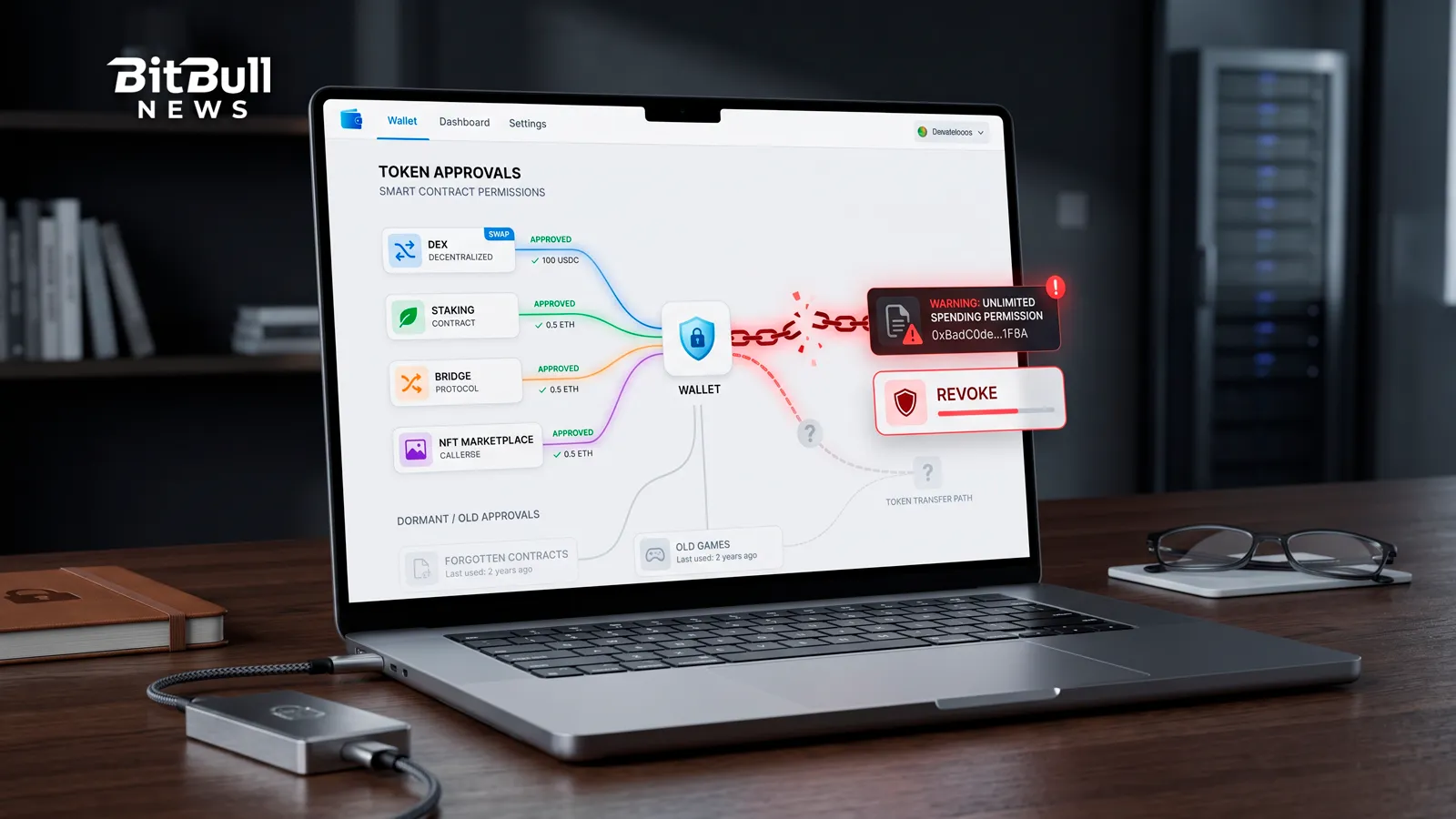
Most wallets don’t get drained by someone cracking your private key. They get drained by a permission you granted yourself, months ago, and forgot about.
Every time you swap, stake, bridge, or list an NFT, you hand a smart contract permission to move your tokens. That permission usually doesn’t expire, and often has no spending cap. It sits there quietly until the contract gets exploited — or until you sign one you shouldn’t have. This guide explains how approvals actually work, where the risk hides, and how to clean them up.
What A Token Approval Actually Is
On Ethereum and other EVM chains, a smart contract can’t just reach into your wallet and take tokens. It needs your permission first. That permission is called an approval, or an allowance.
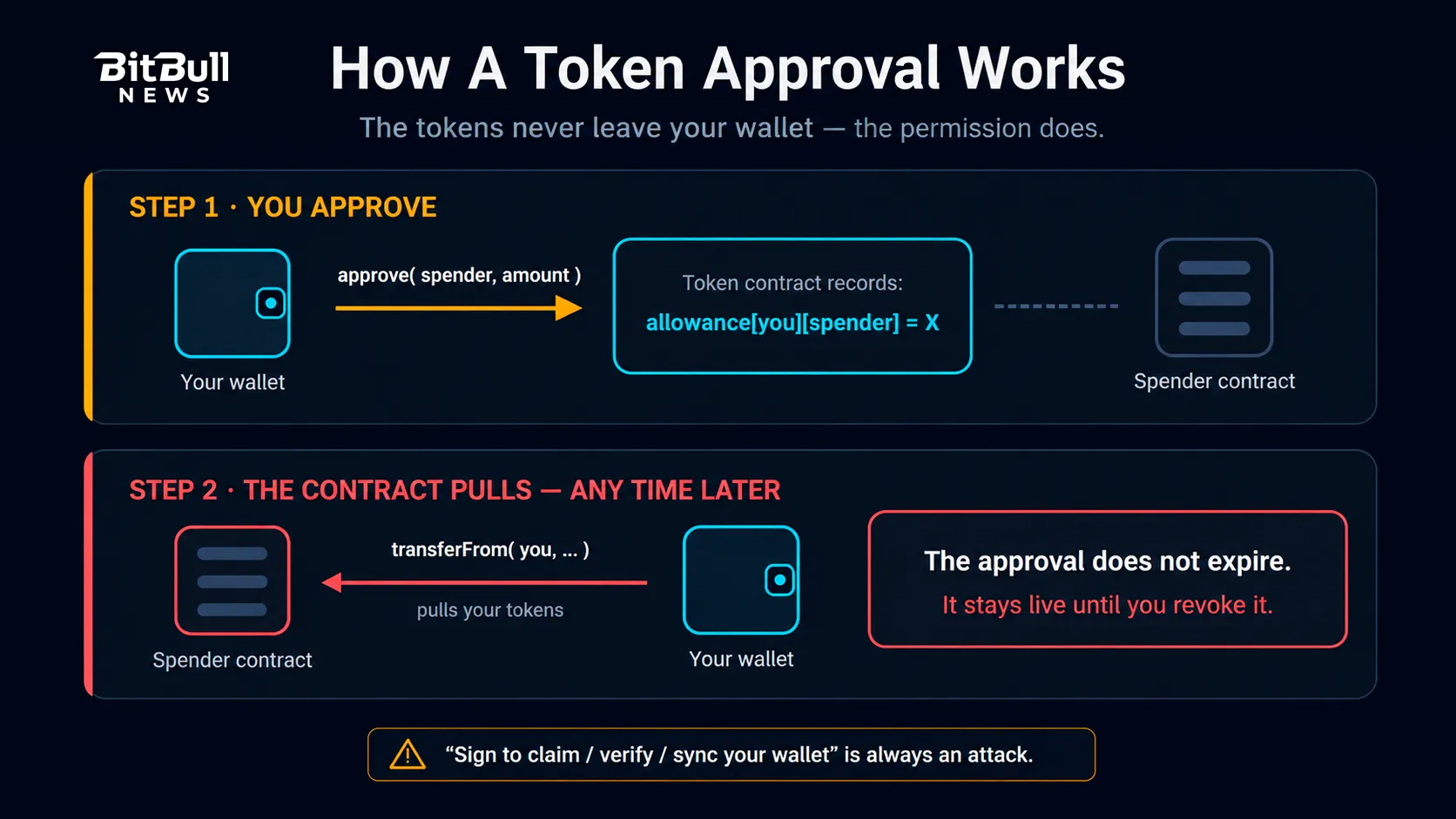
Here’s the part people miss: the app doesn’t hold your tokens after you approve. The ERC-20 token contract records an entry that says this wallet allows that contract to move up to X of this token. The tokens stay in your wallet. What changes is that a specific contract now has standing authority to pull them out.
The mechanics run in two steps:
- You approve. You send an on-chain transaction granting a spender contract an allowance for a specific token.
- The contract pulls. Later, that contract calls
transferFromto move your tokens, up to the approved amount.
That’s why a swap on a DEX usually costs two transactions the first time — one to approve, one to trade. And that’s also the catch: step 2 can happen at any point in the future. The approval doesn’t expire when your trade finishes.
Why Unlimited Approvals Are The Core Risk
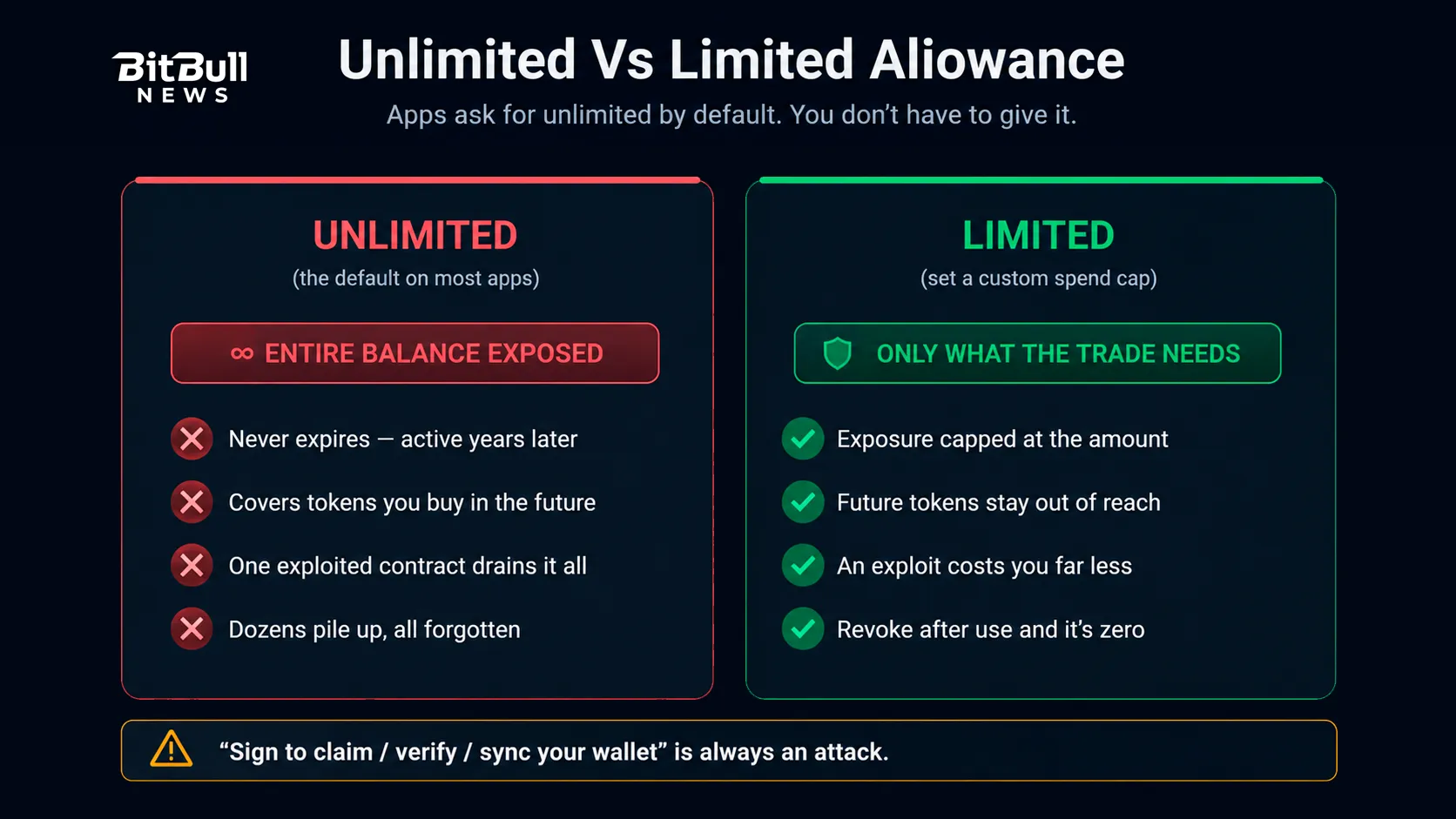
To save you from re-approving before every trade, most apps request an unlimited (effectively infinite) allowance by default. One approval, and the contract can spend that token from your wallet forever.
It’s convenient. It’s also the single biggest source of avoidable losses in DeFi.
Think about what an unlimited approval really means:
- It never expires. An app you used once, years ago, still has permission today.
- It covers your whole balance of that token — including tokens you acquire later.
- It’s only as safe as the contract. If that contract gets exploited, upgraded maliciously, or turns out to be a scam, everything you approved is exposed.
- It stacks. Active users accumulate dozens of standing allowances across dozens of contracts, most of them long forgotten.
You don’t have to be hacked for this to hurt you. A protocol you trusted can be compromised long after you stopped using it, and your dormant approval is the door the attacker walks through.
Approvals Vs Signatures: The Trap That’s Easier To Miss
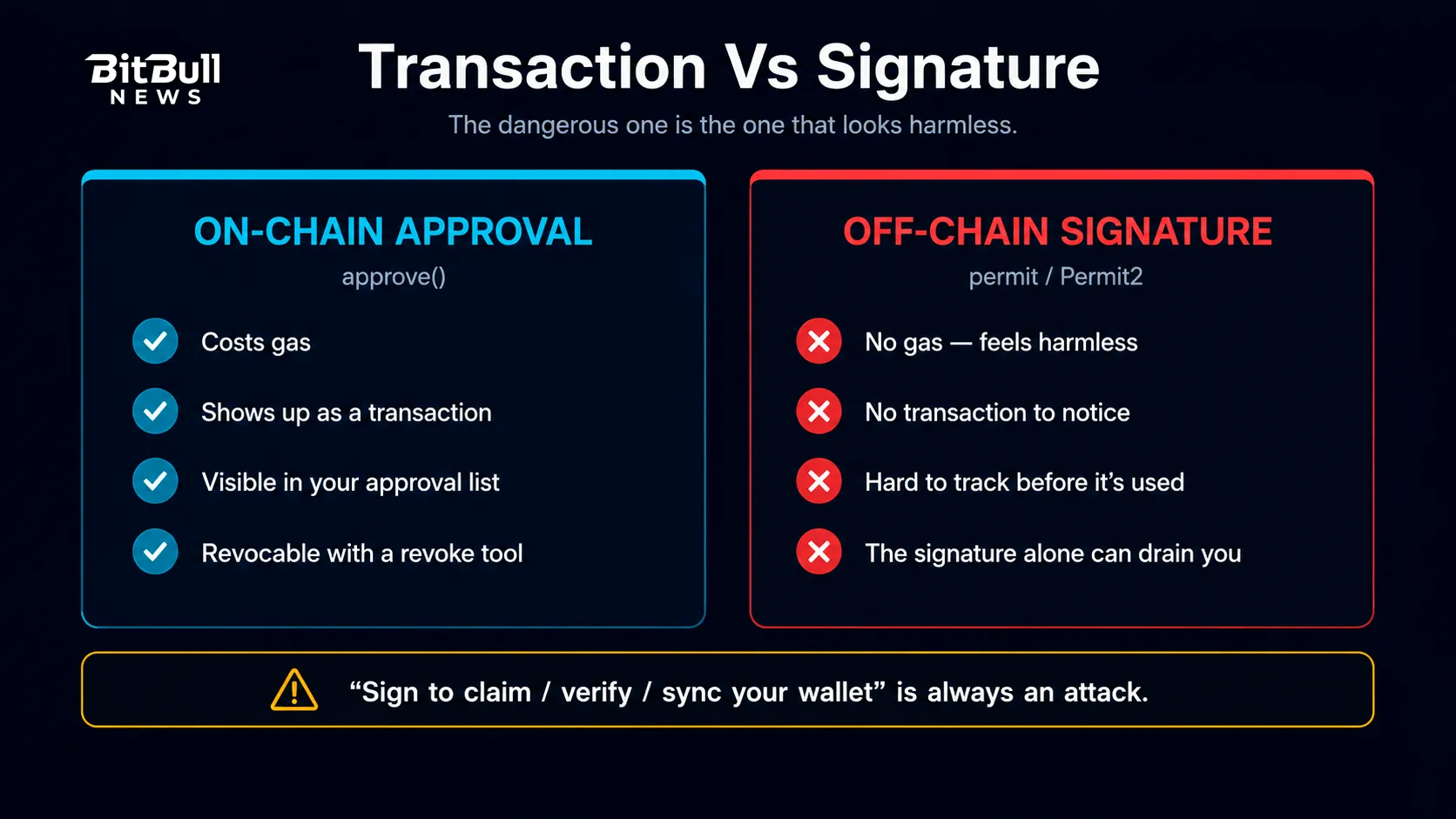
A newer approval model doesn’t create an on-chain transaction at all. It just asks you to sign a message.
EIP-2612 added a permit function that lets you grant an allowance with an off-chain signature instead of a transaction. Uniswap’s Permit2 contract extended the same idea to any ERC-20 token, and it’s now the default approval flow across many major apps.
The upside is real: gasless approvals, fewer transactions, and permits that can carry a spending limit and an expiry. The downside is that a signature request looks harmless. There’s no gas fee, no obvious “transaction,” and plenty of people click through them without reading.
Signature phishing exploits exactly that. A malicious site presents a signature request that looks like a routine login or verification. What you’re actually signing is a permit handing an attacker the right to move your tokens. The signature alone is enough — they submit it themselves, and the tokens leave.
This is what wallet drainer kits automate. They’re prepackaged phishing toolkits that harvest approvals and signatures from anyone who connects.
Warning: Treat signature requests with the same suspicion as transactions. If a site asks you to sign something to “claim,” “verify,” “validate,” or “sync” your wallet, close it. Real apps don’t need that.
NFT Approvals Work The Same Way — But Bigger
NFT marketplaces use a function called setApprovalForAll, defined in the ERC-721 standard. Approve it once, and the operator can transfer every NFT you own from that collection — including ones you buy afterward.
That’s a lot of authority for a single click. It’s also why a compromised marketplace contract or a phishing site posing as one can empty an entire collection in a single transaction.
Same rule applies: grant it only to platforms you actually trust, and revoke it when you’re done.
How To Check And Revoke Your Approvals
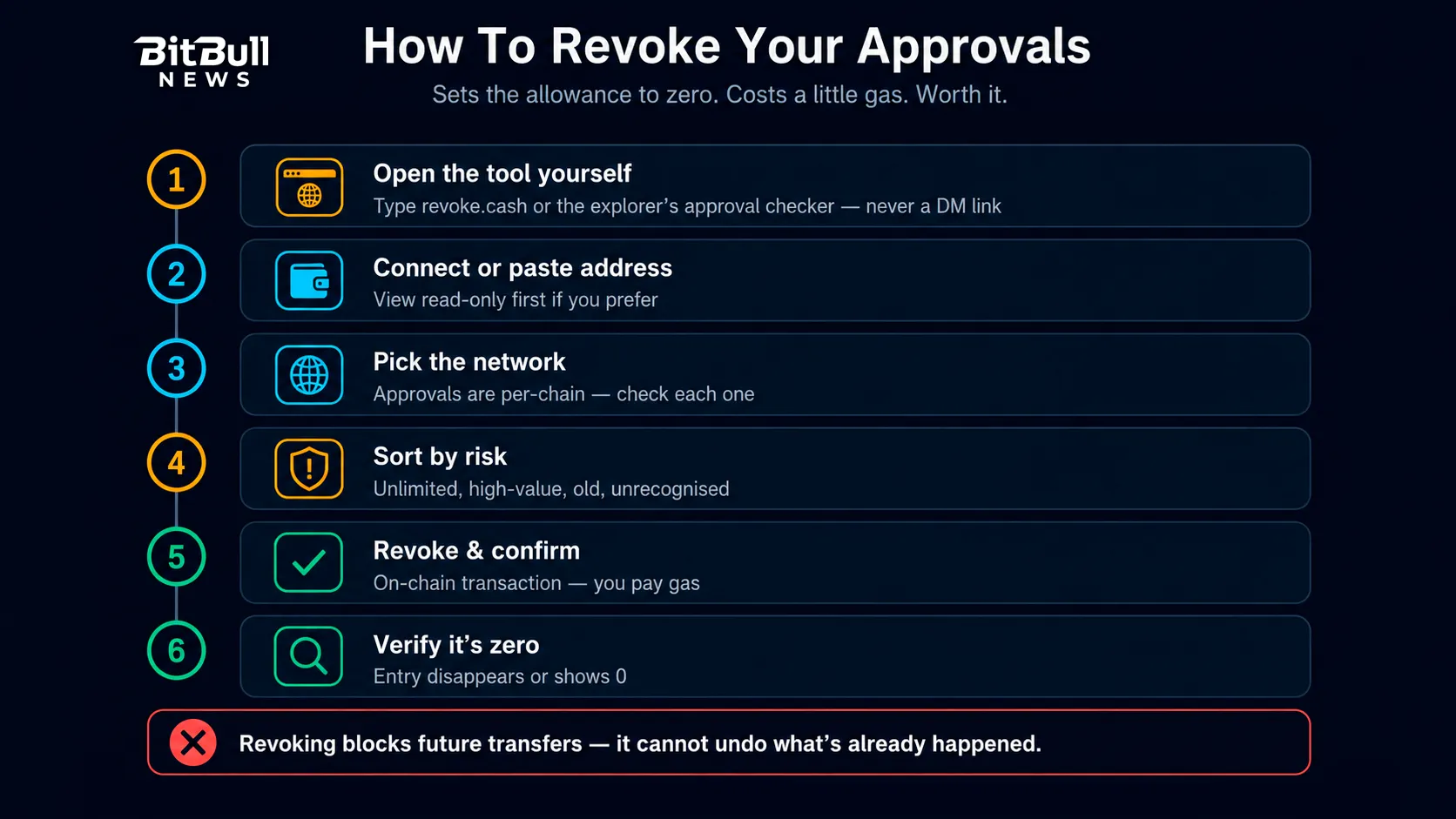
Revoking sets the allowance back to zero, which cuts off the contract’s ability to pull your tokens. It’s an on-chain transaction, so it costs gas — but it’s cheap insurance.
The two standard tools:
- Revoke.cash — shows your active approvals across many networks and lets you revoke them from one dashboard.
- Etherscan’s Token Approval Checker — the block explorer’s own tool. Other explorers (BscScan, Polygonscan, Arbiscan, and so on) have equivalents for their chains.
The process is the same either way:
- Open the tool by typing the URL yourself, never through a link, ad, or DM.
- Connect your wallet, or just paste your address to view approvals read-only first.
- Select the right network. Approvals are per-chain, so check every chain you’ve used.
- Sort by risk. Prioritize unlimited allowances, high-value tokens, old approvals, and any contract you don’t recognize.
- Click revoke and confirm the transaction in your wallet. Pay the gas.
- Verify the entry now shows zero or disappears.
Repeat for each network. And check both token approvals and NFT approvals, since they’re listed separately.
A Note On Permit2
Permit2 needs two-tier thinking. You grant one standard approval to the Permit2 contract itself, then Permit2 issues time-limited permissions to individual apps. Revoking properly can mean clearing both the underlying approval to Permit2 and the specific permissions Permit2 has handed out.
Off-chain signatures are also harder to track, since they never hit the chain until someone uses them. A revoke tool can’t reliably show you a permit you signed but that hasn’t been submitted yet — one more reason to avoid signing things you don’t understand in the first place.
What Revoking Does And Doesn’t Fix
Be clear about the limits, because this trips people up at the worst moment.
Revoking does:
- Stop a contract from pulling any more of your tokens going forward.
- Shut the door on dormant permissions you granted long ago.
Revoking does not:
- Reverse a transfer that already happened. Those tokens are gone.
- Protect you if your seed phrase or private key is compromised. If the attacker has your key, they don’t need an approval — revoke and move your funds to a brand-new wallet immediately.
Speed matters if you think you’ve signed something malicious. Attackers usually execute fast, so revoke first and ask questions later.
Habits That Keep Approvals From Hurting You
- Set a custom spending limit instead of unlimited whenever your wallet offers the option. Approve roughly what the trade needs.
- Revoke after one-off use — a single swap on a new DEX, a mint, a presale, a bridge you’ll never touch again.
- Do a periodic audit. Pick a regular interval, open your revoke tool, and clear the leftovers on every chain you use.
- Split your wallets. Keep a small “hot” wallet for connecting to apps and a separate cold wallet for savings that never touches a dApp. This is the single most effective habit on this list.
- Read every signature and transaction. Prefer wallets that show approvals in plain language and flag unlimited allowances.
- Revoke immediately when a protocol you used announces a vulnerability.
The Ethereum Foundation’s scam guidance lists revoking approvals as a first response whenever a wallet may be exposed. Make it routine rather than an emergency measure.
Approvals aren’t a flaw — they’re what makes DeFi work. The problem is that we hand out permanent, unlimited authority for temporary, limited tasks. Grant less, revoke sooner, and keep your savings somewhere that never signs anything.
FAQ
- What Is A Token Approval In Crypto?
It’s permission you grant a smart contract to spend a specific token from your wallet. The tokens stay in your wallet, but the contract gains standing authority to pull them out later usingtransferFrom. - Do Token Approvals Expire On Their Own?
Standard ERC-20 approvals don’t expire. They stay active until you revoke them, which is why an app you used once years ago may still be able to spend your tokens today. Some newer permit-based approvals can carry an expiry. - Does Revoking An Approval Cost Money?
Yes. Revoking is an on-chain transaction, so you pay gas on each network you clean up. It’s usually a small cost compared to what a forgotten unlimited allowance can expose. - Can Revoking Get My Stolen Tokens Back?
No. Revoking only blocks future transfers. Anything already taken is gone, because blockchain transactions can’t be reversed. Revoke anyway, so the attacker can’t take more. - Is Signing A Message As Risky As Approving A Transaction?
It can be worse, because it looks harmless. A malicious permit signature costs no gas and creates no obvious transaction, yet it can grant an attacker the right to move your tokens. Read every signature request before you sign. - How Often Should I Review My Token Approvals?
Set a regular interval and stick to it, and revoke right after any one-off interaction like a mint, presale, or a swap on a new app. Also revoke immediately if a protocol you’ve used discloses a vulnerability. - What’s The Safest Way To Use DeFi Apps?
Use a separate wallet with a limited balance for connecting to apps, and keep long-term savings in a cold wallet that never interacts with dApps. That way a bad approval can only reach what’s in the hot wallet.