


Content
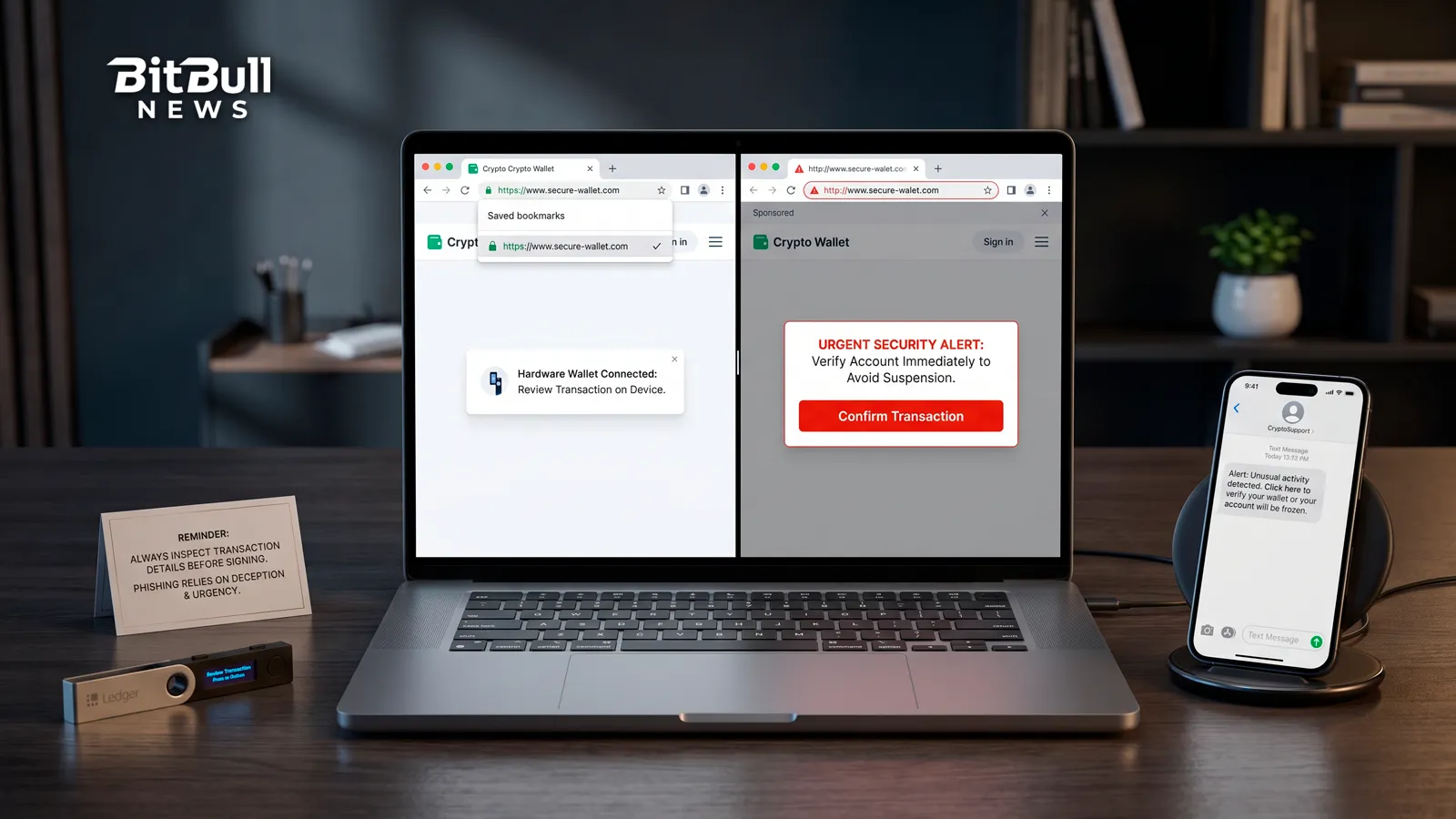
Phishing is the most successful attack in crypto, and it isn’t close. It doesn’t break cryptography or crack your key. It convinces you to hand over access, or to click “confirm” on something you didn’t read.
The attackers are good at it. They clone real sites down to the pixel, buy ads that sit above the genuine link, and time their messages to land when you’re stressed or excited. But every phishing attack, no matter how polished, is built from the same handful of parts. Learn the parts and the disguise stops working.
What Phishing Actually Is
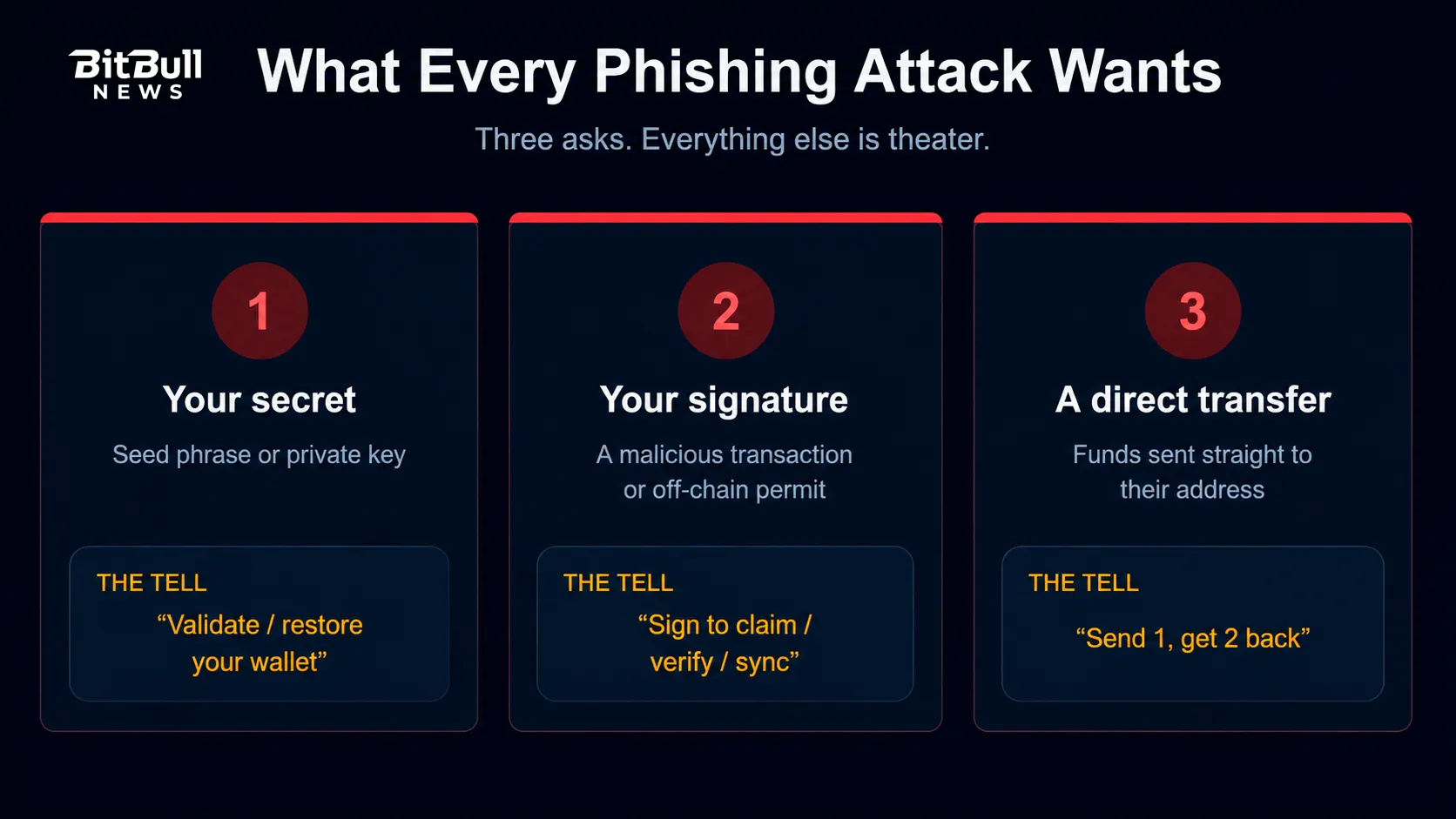
Phishing is social engineering. The attacker impersonates something you trust — a wallet, an exchange, a project, a support agent, a friend — to get you to do one of three things:
- Reveal a secret (your seed phrase or private key).
- Sign something malicious (a transaction or an off-chain signature).
- Send funds directly to an address they control.
That’s the whole game. The technology isn’t compromised. You are the target, and your click is the exploit.
Crypto makes it lucrative. Transfers are irreversible, there’s no chargeback, and a single successful lure can empty a wallet in seconds.
The Anatomy Of A Phishing Attack
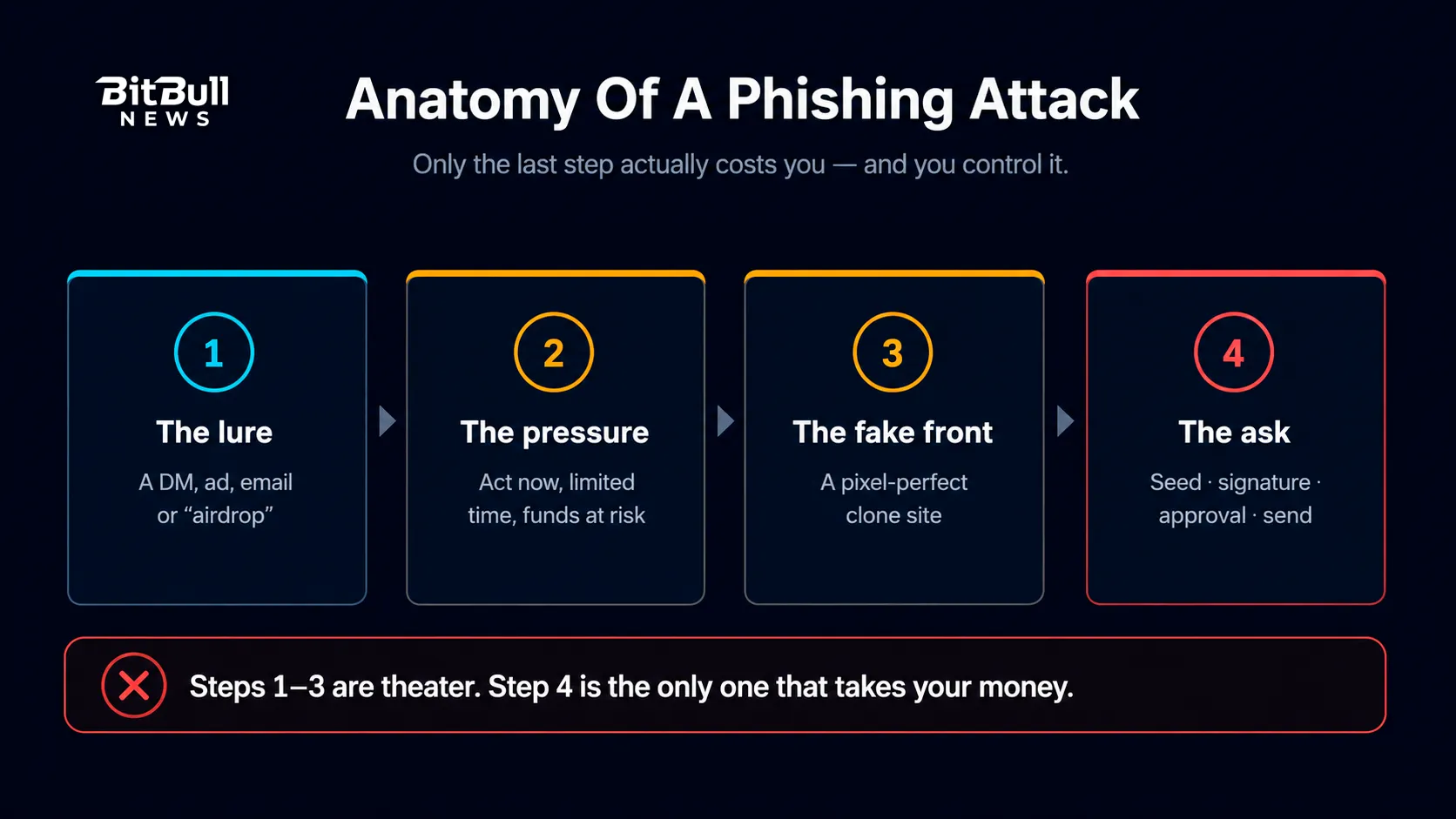
Strip away the theme and the structure is always the same four steps.
- The lure. A message, ad, post, email, or DM reaches you. It offers something (an airdrop, a giveaway, a fix) or threatens something (your account is at risk, your funds are frozen).
- The pressure. Urgency does the heavy lifting. Limited time, act now, your wallet is compromised. Rushed people don’t check URLs.
- The fake front. You land on a convincing clone of a real site, app, or support channel.
- The ask. Enter your seed phrase, connect your wallet, sign this, approve that, send here.
Notice that steps 1 through 3 are theater. Step 4 is the only moment that costs you anything — and it’s the only one you fully control.
How Fake Sites Fool You
The fake front is where most people get caught, so it’s worth understanding how it’s built.
Lookalike Domains
Attackers register domains that read as legitimate at a glance:
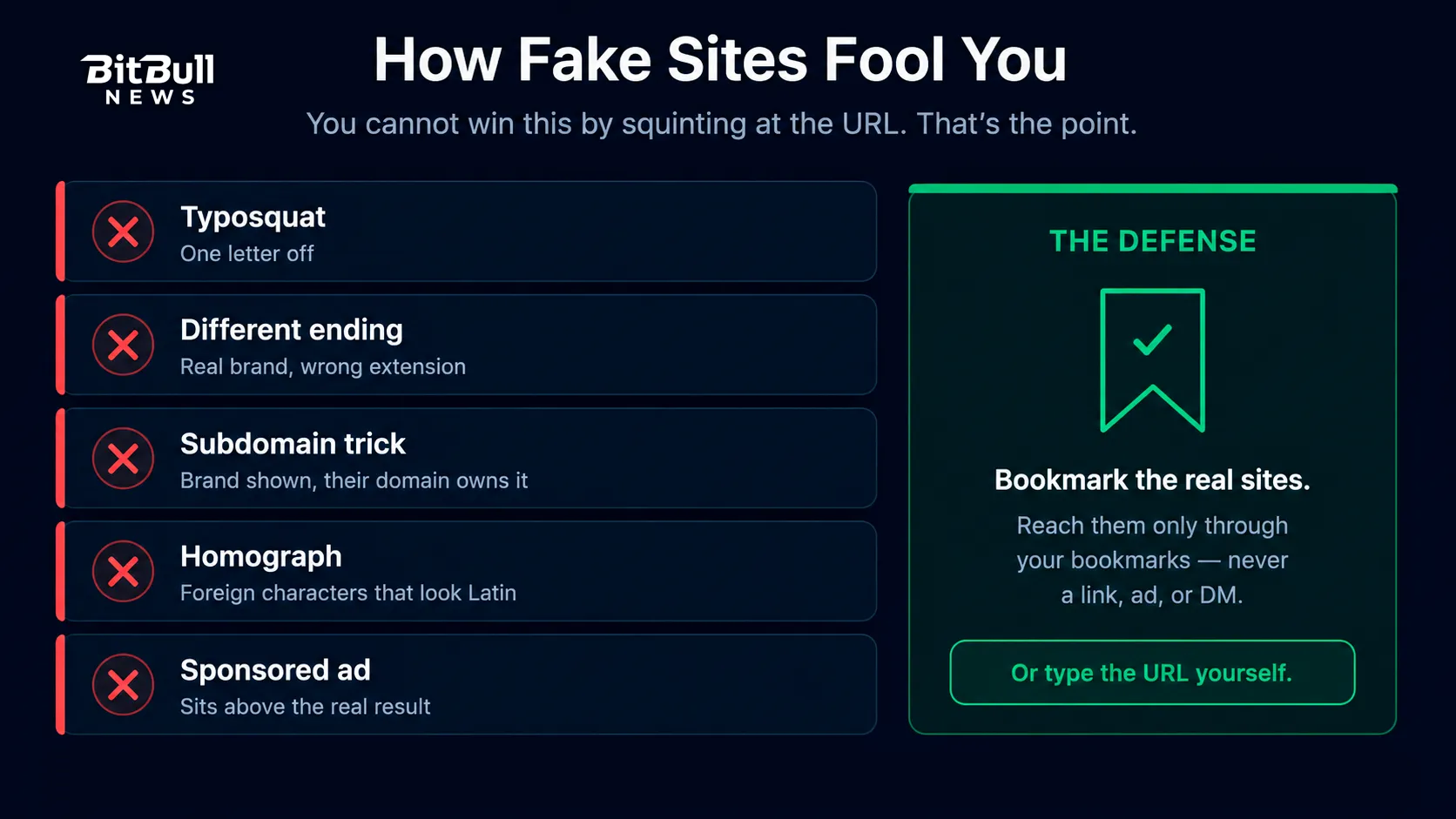
- Typosquats — one letter off, an added or dropped character, a swapped word order.
- Different endings — the real project on
.com, the fake on some other extension. - Subdomain tricks — the real brand appears as a subdomain of a domain the attacker owns, so the trusted name shows up early in the URL while the actual registered domain is theirs.
- Homograph attacks — characters from other alphabets that render almost identically to Latin letters, producing a URL your eye reads as correct.
You cannot reliably win this by squinting at URLs. That’s the point of the technique.
Malicious Ads And Search Results
Paid search ads and sponsored posts routinely sit above the real result. People click the top link on reflex, and the top link is sometimes the attacker’s.
Fake Apps And Extensions
Counterfeit wallet apps and browser extensions appear in app stores and extension marketplaces, sometimes with fabricated reviews. Install one and it captures your seed phrase the moment you restore.
The defense that actually works: bookmark the real sites and reach them only through your bookmarks. Type the URL yourself if you must. Never arrive at a wallet or exchange through a link, an ad, or a search result.
Seed Phrase Phishing
The most direct attack: get you to type your recovery phrase somewhere.
The pretexts vary — “validate your wallet,” “sync your assets,” “restore your account,” “our support needs to verify you.” The result never does.
The rule has no exceptions. No legitimate wallet, exchange, project, or support agent ever needs your seed phrase. Real wallets only ask for it inside their own official app when you restore, never in a browser pop-up or a web form.
Warning: If anything asks for your recovery phrase, it is stealing from you. There is no legitimate version of that request. Close the page.
Signature Phishing And “Ice Phishing”
This is the attack most people don’t see coming, because nothing looks like a theft.
Instead of asking for your key, the attacker gets you to sign something. Microsoft’s security researchers named one version of this “ice phishing”: rather than stealing your private key, the attacker tricks you into signing a transaction that delegates approval of your tokens to an address they control. Your key stays safe. Your tokens leave anyway.
Off-chain signatures make it worse. A malicious permit signature costs no gas, creates no transaction to notice, and can still authorize an attacker to move your tokens. It looks like a harmless “sign to continue.”
Wallet drainer kits package all of this. They’re prebuilt phishing toolkits that detect what a connected wallet holds and craft the signature request most likely to empty it.
Red flags in the wild: any site that wants you to sign or approve in order to claim, verify, validate, sync, unlock, or migrate your wallet. Those words are the tell.
Address Poisoning And Clipboard Attacks
Two quieter tricks that exploit how you copy addresses.
Address poisoning: the attacker sends a tiny (or zero-value) transaction to your wallet from an address engineered to match the first and last characters of one you actually use. Later, you copy an address from your transaction history, glance at the ends, and send to theirs.
Clipboard malware: software on your device swaps a copied address for the attacker’s the moment you paste.
Defenses: verify the entire address, not just the ends. Keep a saved address book of known destinations. Send a small test amount first on large transfers.
Impersonation: Support, Teams, And Friends
- Fake support. No decentralized project has a support team that DMs you first. Anyone who messages you offering to fix your wallet is an attacker. Real help channels are ones you open yourself.
- Compromised or spoofed accounts. Attackers hijack real project accounts, or clone them with near-identical handles, and post “official” mint or airdrop links.
- Community channels. Bots watch for anyone asking a question, then arrive in DMs as “support.”
- Spear phishing. Targeted attacks on people known to hold crypto, using details scraped from your public activity to sound credible. If you’ve publicly linked your wallet to your identity, assume you’re a target.
- Fake job offers and “test tasks.” A polished hiring process ending in a malicious file or a wallet connection.
Ethereum’s own scam guidance puts it simply: legitimate parties never need your recovery phrase, and unsolicited contact offering help is the pattern to distrust.
How To Recognize Phishing Quickly
Run this mental check before you click, connect, or sign.
- Did they contact me first? Unsolicited contact is the single strongest signal. Treat it as hostile by default.
- Am I being rushed? Manufactured urgency exists to stop you thinking.
- How did I get here? If the answer is “a link, an ad, or a DM,” stop and go through your bookmark instead.
- What is it actually asking for? A seed phrase means theft. A signature you don’t understand means stop.
- Does it promise free money? Airdrops, giveaways, and doubling offers that find you are bait.
- Is this too convenient? Real security is a little inconvenient. Attackers sell you shortcuts.
Habits That Prevent Phishing
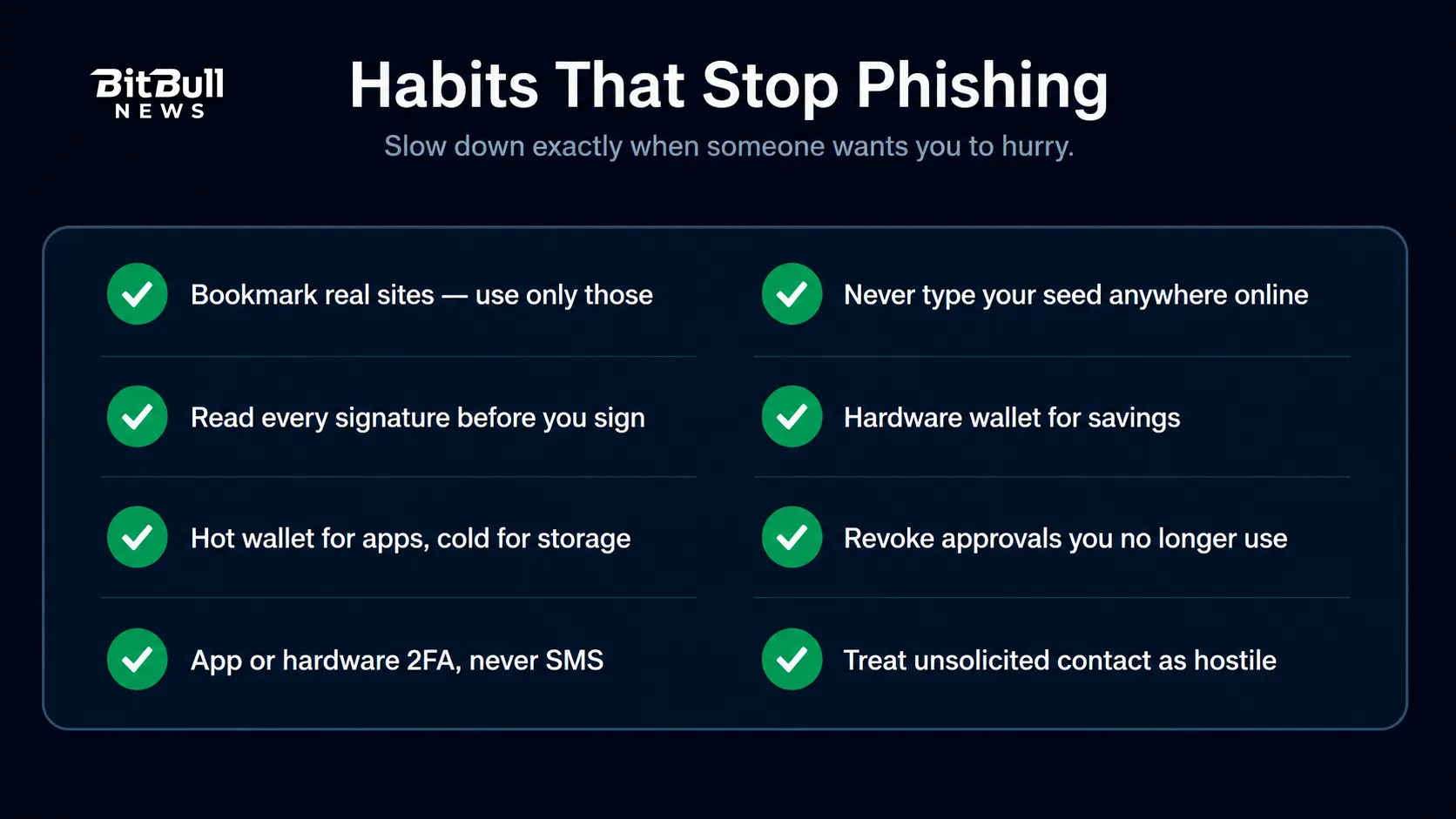
- Bookmark everything important and use only those bookmarks. This one habit defeats the majority of phishing.
- Never type your seed phrase anywhere except inside an official wallet app during a restore.
- Read every signature and transaction before approving. Use wallets that display them in plain language.
- Use a hardware wallet for savings, and confirm details on the device screen.
- Split your wallets. A small hot wallet for connecting to apps, a cold wallet that never touches a dApp.
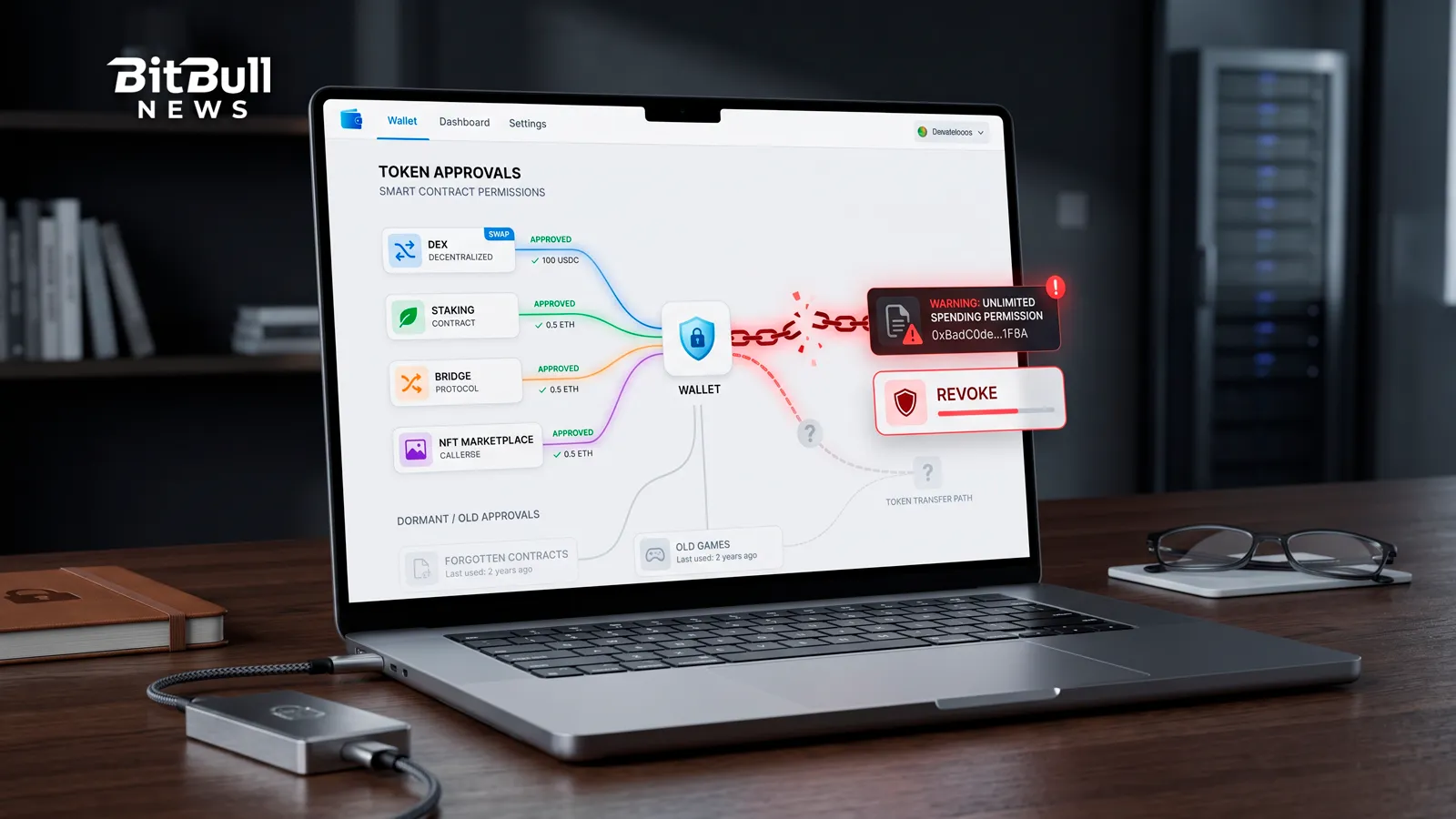
- Revoke token approvals you no longer use, through a tool like Revoke.cash, and keep the habit regular.
- Lock down your accounts with app-based or hardware 2FA rather than SMS, and give your email a unique password.
- Install only from official sources, following the link from the project’s real site.
Bitcoin’s own wallet guidance and the Ethereum Foundation’s security docs converge on the same fundamentals: guard the secret, verify what you sign, and be skeptical of anything that arrives unrequested.
If You Think You Just Got Phished
Speed matters. Attackers usually execute within minutes.
- Disconnect and close the site. Stop interacting immediately.
- Move your funds to a new wallet with a fresh seed — especially if you entered your recovery phrase anywhere. A compromised seed can’t be un-compromised.
- Revoke approvals if you signed or approved something, starting with unlimited allowances and any unfamiliar spender.
- Secure your accounts. Change passwords, reset 2FA, and check your email for unauthorized changes.
- Document everything — transaction hashes, addresses, URLs, screenshots.
- Report it to the platform involved and to the FBI’s IC3 or your national authority.
- Ignore anyone offering to recover your funds. Recovery scams specifically target people who just got phished. No one can reverse a confirmed transaction.
Phishing survives on speed, trust, and a moment of not-looking. Slow down at the exact moment someone wants you to hurry, and you take away the only advantage they have.
FAQ
- What Is Crypto Phishing?
It’s social engineering that impersonates a trusted wallet, exchange, project, or person to get you to reveal your seed phrase, sign a malicious transaction, or send funds to an attacker. The technology isn’t broken — you’re the target. - How Can I Tell If A Crypto Site Is Fake?
You often can’t tell by looking, because clones are pixel-perfect and lookalike domains are built to pass a glance. That’s why the reliable defense isn’t inspection — it’s bookmarking real sites and reaching them only through your bookmarks. - Is Signing A Message Dangerous?
It can be. A malicious signature costs no gas and creates no obvious transaction, yet it can authorize an attacker to move your tokens. Read every signature request, and never sign to “claim,” “verify,” or “sync” a wallet. - Can A Hardware Wallet Protect Me From Phishing?
Partly. It keeps your key offline and shows transaction details on its own screen, which helps. But it can’t stop you from approving a malicious transaction or typing your seed into a fake site, so the habits still matter. - Why Did I Receive A Strange Token Or Tiny Transaction?
It’s likely address poisoning or a malicious airdrop. The tiny transfer plants a lookalike address in your history, hoping you copy it later. Ignore unexpected tokens and never connect your wallet to “claim” them. - What Should I Do Immediately After Being Phished?
Disconnect, move remaining funds to a new wallet with a fresh seed, revoke any approvals you granted, and secure your accounts. Then document and report it — and ignore anyone who offers to recover your funds for a fee. - Do Real Support Teams Ever Contact Me First?
No. Decentralized projects have no support team that sends unsolicited DMs, and legitimate companies never ask for your recovery phrase. Any unsolicited offer of help should be treated as an attack.