


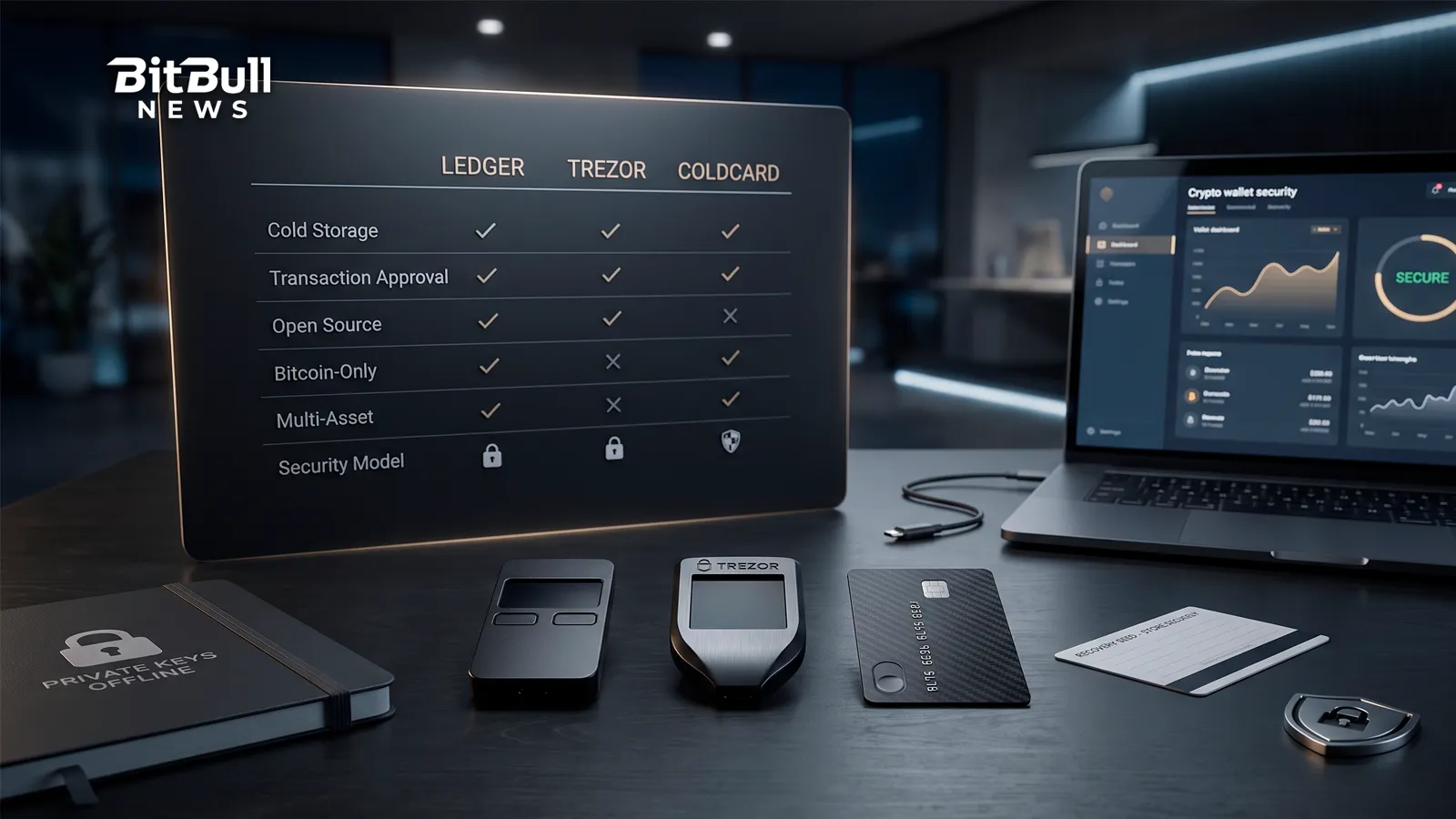
Content
Three names come up again and again when people move crypto into cold storage: Ledger, Trezor, and Coldcard. All three keep your private keys offline and force you to approve every transaction on the device itself.
The real question isn’t which one is “safe.” All three are reputable. The differences come down to philosophy — how open the code is, how many coins you can hold, how far you’ll go for security, and how much convenience you’ll trade to get there. This comparison skips the spec-sheet noise and focuses on the decisions that actually change which wallet is right for you.
What All Three Have In Common
Start with the shared ground, because it’s larger than the marketing suggests. Every device here does the same core job:
- Keeps private keys offline. The key is generated and stored on the device and never touches your internet-connected computer or phone.
- Signs on the device. You confirm the destination and amount on the wallet’s own screen, so malware on your computer can’t quietly change a transaction.
- Protects with a PIN and an optional passphrase. A stolen device is useless without the PIN, and a passphrase adds a hidden layer on top of the seed.
- Puts you in full custody. No company holds your funds. That also means no one can recover them for you.
So none of these is a bad choice. Picking between them is about fit, not safety.
The Two Questions That Decide Most Of It
Before comparing features, answer two things. They’ll narrow the field faster than any spec.
- How many different coins do you hold? If you want Bitcoin plus Ethereum, Solana, stablecoins, and tokens, you need a multi-coin wallet. If you’re Bitcoin-only, a Bitcoin-only device is an option — and a deliberate security choice.
- How much do you value open-source code you can verify? Some people want firmware that anyone can read and audit. Others are fine trusting a company’s certifications and track record. This single preference separates the three brands more than anything else.
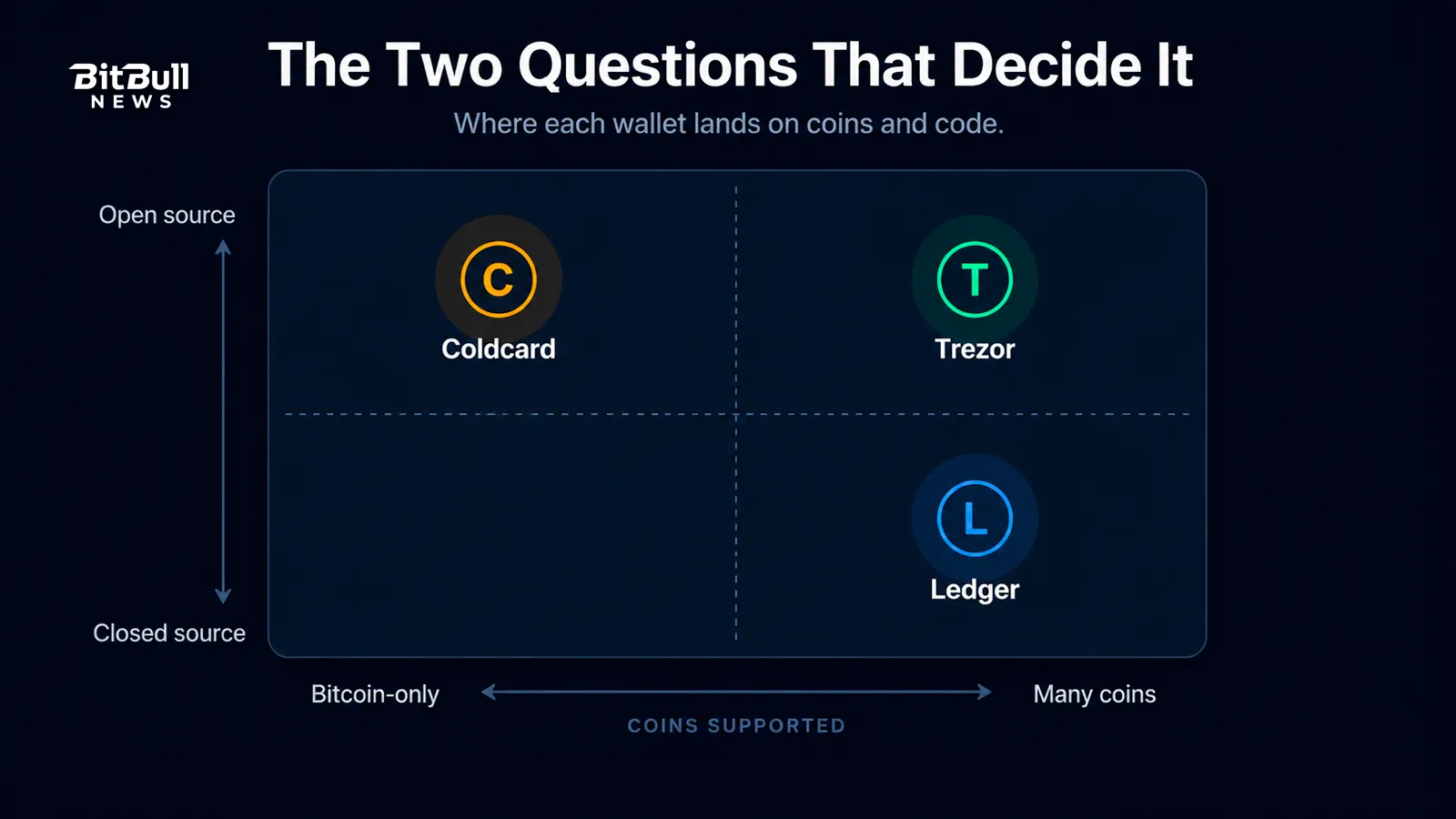
Keep your answers in mind as you read the sections below.
Ledger: The Multi-Coin Mainstream Pick
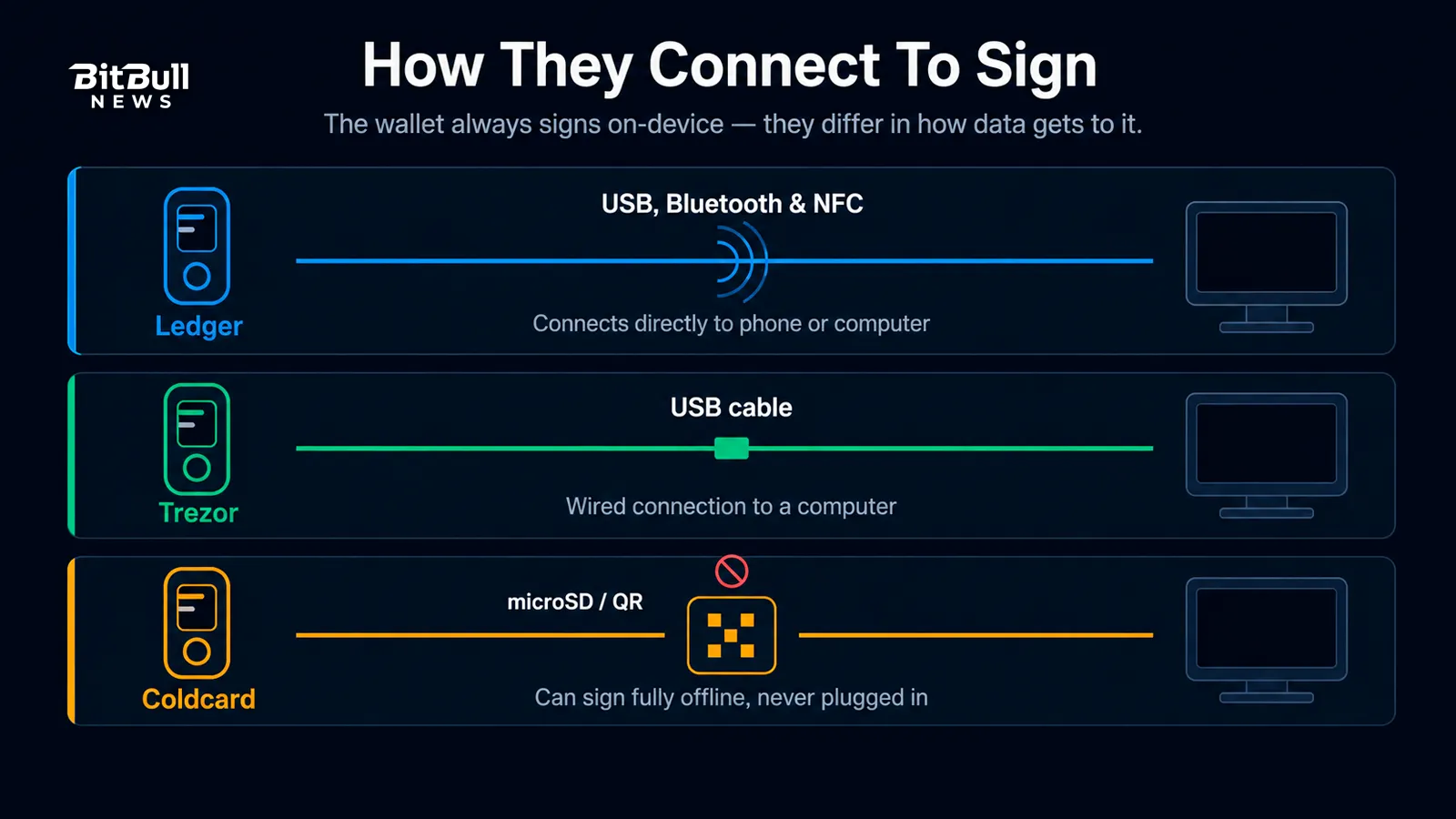
Ledger, based in France, has sold millions of devices and built the most polished consumer experience in the category. Its lineup runs from small button-based signers up to premium touchscreen models, some with Bluetooth for phone use. Everything connects to one companion app (now called Ledger Wallet, formerly Ledger Live) for managing, buying, swapping, and staking across thousands of assets.
Ledger’s security rests on a secure element — the same class of tamper-resistant chip used in passports and bank cards — certified to Common Criteria EAL5+ or EAL6+ depending on the model. Key generation, storage, and signing happen inside that chip.
Where Ledger is strong:
- The widest coin and token support, plus the smoothest app for buying, swapping, and staking in one place.
- A range of models from budget to premium, including Bluetooth options for managing crypto from a phone.
- Clear Signing on newer touchscreen models, which shows transaction details in plain language before you approve.
What gets debated:
- The secure element firmware is closed-source. You’re trusting Ledger’s audits and certifications rather than publicly readable code. For open-source purists, that’s a dealbreaker.
- In 2020, a data breach at Ledger’s e-commerce system exposed contact and shipping details for roughly 270,000 customers. No funds were taken, but the leak fueled phishing campaigns against Ledger owners for years.
- Ledger Recover, an optional paid service that splits an encrypted backup of your seed across custodians, drew heavy criticism on launch. The objection wasn’t that it was mandatory (it isn’t) but that it showed the firmware could package seed-derived data at all — which unsettled users who assumed the key could never leave the device under any circumstances.
Best for: multi-chain holders, DeFi and NFT users, beginners who want a clean app, and anyone who values managing crypto from a phone.
Trezor: The Open-Source Original
Trezor, made by SatoshiLabs, built the first commercial hardware wallet and still leads on transparency. Its firmware is fully open-source, so independent researchers can read and audit the code. The Trezor Suite app adds privacy tools that the others don’t emphasize, including Tor routing and coin control. Two features stand out: passphrase-protected hidden wallets, and Shamir Backup (the SLIP39 standard), which splits your recovery into multiple shares so no single lost or stolen backup sinks you.
There’s an important history here. Trezor’s older Model One and Model T shipped without a dedicated secure element, because the secure-element chips available at the time required non-disclosure agreements that clashed with the company’s open-source stance. In 2019, Kraken Security Labs demonstrated a voltage-glitching attack that could extract the encrypted seed from those models with roughly 15 minutes of physical access and a few hundred dollars of gear. A strong BIP39 passphrase blocks the attack, since the passphrase never lives on the chip — but the weakness was real for anyone who skipped it.
Trezor addressed this with its newer Safe line, which adds an NDA-free EAL6+ secure element while keeping the firmware open. The most recent model goes further with TROPIC01, described by the company as an independently auditable secure element — an attempt to close the usual gap where you must trust a chip you can’t inspect.
Where Trezor is strong:
- Fully open-source firmware that anyone can audit, backed by the longest track record in the category.
- Strong privacy tooling and flexible Shamir multi-share backups for spreading recovery across locations.
- Passphrase hidden wallets and broad multi-coin support, with a real secure element in the current Safe devices.
What to watch:
- The older, pre-Safe models have no secure element, so buy from the Safe line if physical-attack resistance matters to you (and use a passphrase either way).
- iOS support is limited, and a touchscreen only appears on the higher tiers.
Best for: open-source advocates, privacy-focused users, and multi-coin holders who want verifiable code plus flexible backup options.
Coldcard: The Bitcoin-Only Fortress
Coldcard, built by the Canadian company Coinkite, takes a different path on purpose. It supports Bitcoin only, which shrinks the software attack surface and rules out a whole category of altcoin-related risk. It’s aimed squarely at serious, self-sovereign Bitcoin holders who put security ahead of convenience.
The security model is aggressive. Coldcard stores your seed across two secure elements from two different manufacturers, so a backdoor would need to exist in three separate chips at once (both secure elements and the main processor) to expose your key. The firmware is open-source and reproducible, meaning you can compile it yourself and confirm the device runs exactly that code.
Its signature move is true air-gapped signing. Using a microSD card or QR codes and the PSBT standard (BIP-174), a Coldcard can generate a wallet, receive funds, and sign outgoing transactions without ever plugging into an internet-connected computer. There’s no official companion app — it works with third-party software like Sparrow, Electrum, Nunchuk, and Specter.
Where Coldcard is strong:
- Dual secure elements, open reproducible firmware, and a genuinely air-gapped workflow.
- Advanced anti-coercion tools: a duress PIN that opens a decoy wallet, a “brick-me” PIN that wipes the device, and a forced login time-delay.
- Extra sovereignty touches: dice-roll seed entropy, on-device multisig, and a tamper-evident supply chain (epoxy-coated internals and a numbered sealed bag). The Coldcard Q model adds a full keyboard and a built-in QR scanner.
What to watch:
- Bitcoin only. No Ethereum, no tokens, no altcoins. That’s the point, but it’s a hard limit.
- A steeper learning curve, a utilitarian design, and a higher price than entry-level wallets. It’s not built for quick, casual mobile use.
Best for: dedicated Bitcoin holders, multisig setups, air-gap purists, and larger long-term holdings — for people comfortable with a more manual, deliberate workflow.
Side-By-Side Comparison
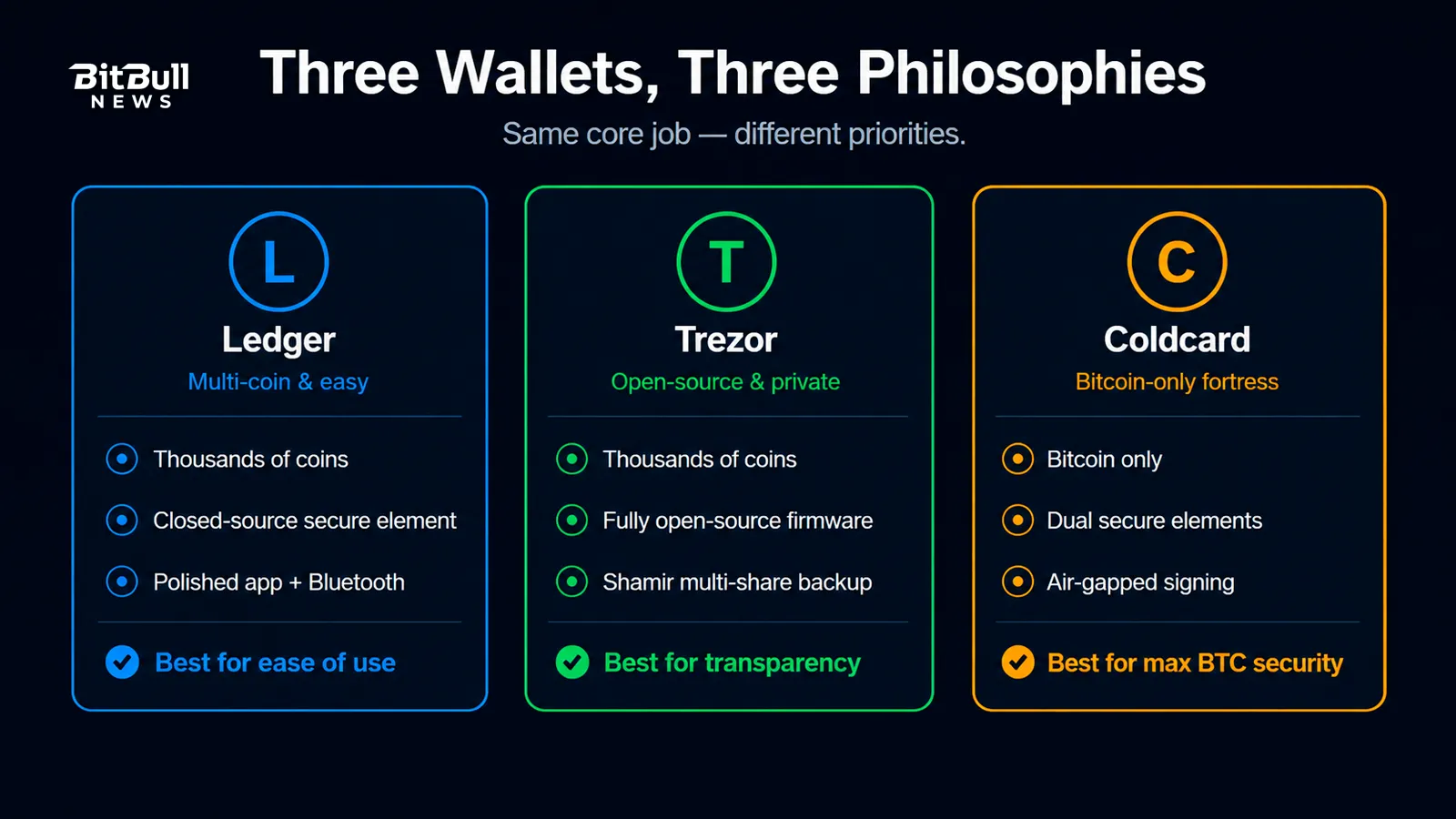
| Feature | Ledger | Trezor | Coldcard |
|---|---|---|---|
| Coins supported | Thousands (multi-chain) | Thousands (multi-chain) | Bitcoin only |
| Firmware | Secure element closed-source | Fully open-source | Open-source, reproducible |
| Secure element | Yes (EAL5+/6+, closed) | Safe line: yes (EAL6+); older models: none | Yes — dual, two vendors |
| Air-gapped signing | No (USB / Bluetooth / NFC) | No (USB) | Yes (microSD / QR) |
| Companion app | Ledger Wallet | Trezor Suite | None (third-party software) |
| Backup options | Seed (+ optional Recover) | Seed, passphrase, Shamir/SLIP39 | Seed, passphrase, dice, multisig |
| Best for | Multi-coin and ease of use | Open-source and privacy | Bitcoin-only, maximum security |
How To Actually Choose
Match the wallet to your honest answer from those two questions earlier.
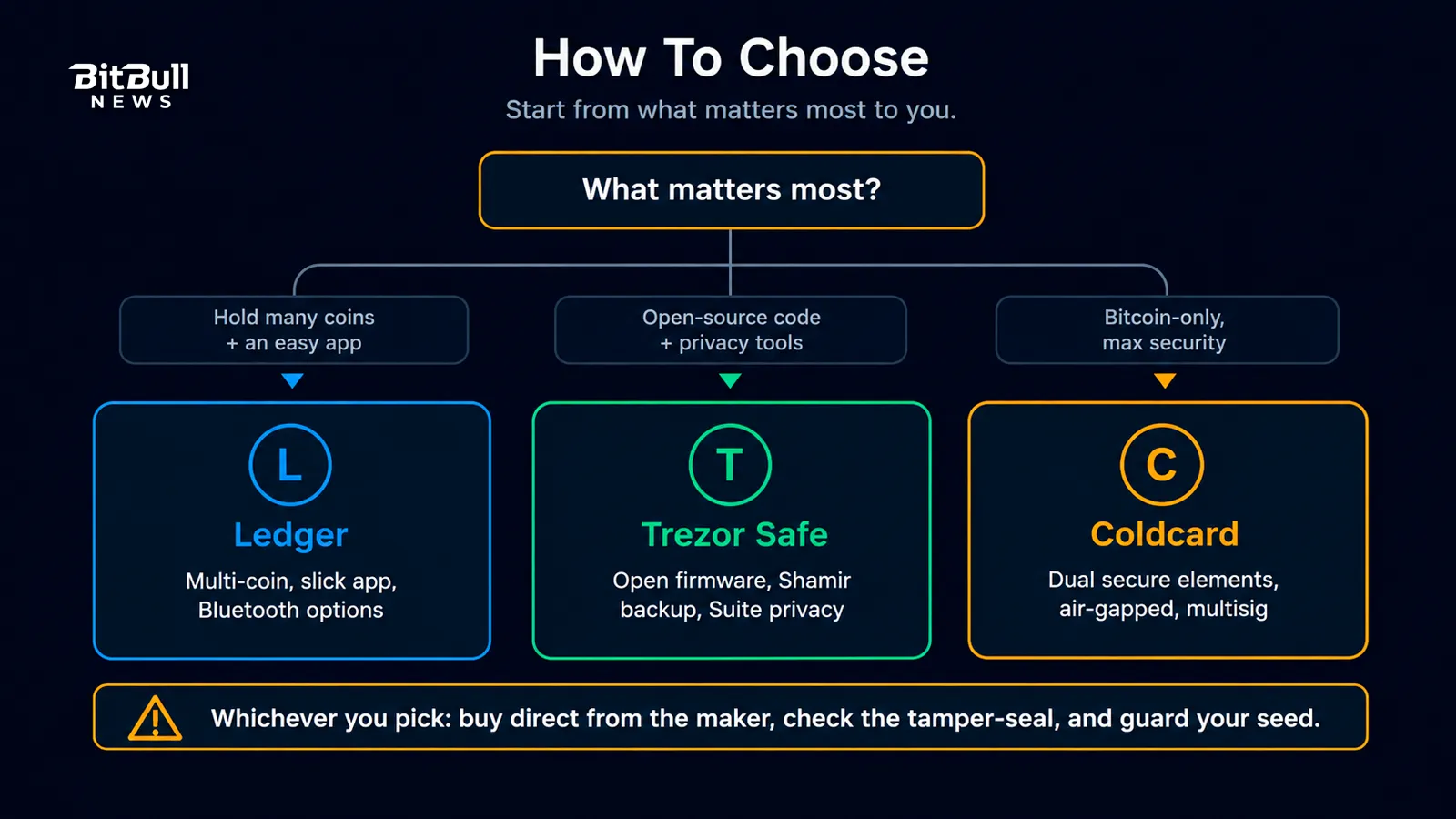
- You hold many coins and want an easy app. Ledger is the straightforward pick, especially with a phone.
- You want open-source code, privacy tools, and flexible backups — and still multi-coin. Go Trezor, and choose the Safe line for a real secure element.
- You’re all-in on Bitcoin and want the strongest, most sovereign setup. Coldcard, particularly if multisig and air-gapping appeal to you.
Whichever you choose, three rules apply to all of them:
- Buy directly from the manufacturer. Never a marketplace reseller or a “pre-configured” device from a stranger. Check the tamper-evidence before setup.
- Keep firmware updated from the official app or site only.
- Your seed phrase discipline matters more than the brand. A budget wallet with a well-guarded, offline seed beats a premium one with the phrase saved in a photo.
Models And Prices Change — Check The Source
Each brand refreshes its lineup and moves prices regularly, so treat the specific devices named here as a snapshot of each company’s approach, not a permanent catalog. The philosophy — closed versus open, multi-coin versus Bitcoin-only, convenient versus air-gapped — stays stable even as the model names rotate. Confirm the current device and price on the official store before you buy, and buy only there.
FAQ
- Which Hardware Wallet Is Best For Beginners?
For most beginners holding several coins, Ledger or Trezor offer the smoothest apps and the widest support. Coldcard is powerful but built for advanced, Bitcoin-only users, so it’s usually not the first pick. - Is Coldcard Only For Bitcoin?
Yes. Coldcard supports Bitcoin only by design, which shrinks its attack surface. If you hold Ethereum, tokens, or other coins, you’ll want Ledger or Trezor instead. - Does Open-Source Firmware Actually Matter?
It matters if you want the code to be publicly auditable rather than trusting a company’s certifications. Trezor and Coldcard are open-source, while Ledger’s secure element firmware is closed. Both approaches have track records, so it comes down to your priorities. - Can I Use One Hardware Wallet For Many Coins?
Ledger and Trezor both support thousands of assets across many chains from a single device. Coldcard is the exception, since it’s Bitcoin-only. - Where Should I Buy A Hardware Wallet?
Only from the manufacturer’s official store or an authorized reseller. Never buy a used or “pre-configured” device, and always check the tamper-evident packaging before setup. - Do I Still Need A Recovery Phrase With A Hardware Wallet?
Yes. The device protects your key, but your recovery phrase is still the ultimate backup. If the device is lost or broken, that phrase is how you restore your funds, so store it safely and offline.