


Content
Your wallet doesn’t hold coins. It holds the keys that prove the coins are yours, and whoever holds those keys controls the money. There’s no fraud department, no chargeback, and no reset button.
Get the security right and your funds are close to untouchable. Get it wrong once and they can leave in a single signature. This guide walks through each layer that matters, in the order a careful holder actually sets things up.
Understand What You’re Actually Protecting
Coins never leave the blockchain. What your wallet stores is the private key and its human-readable backup, the seed phrase (also called a recovery phrase). Sign a transaction with that key and the network moves your funds. Lose the key with no backup and the funds are stranded forever.
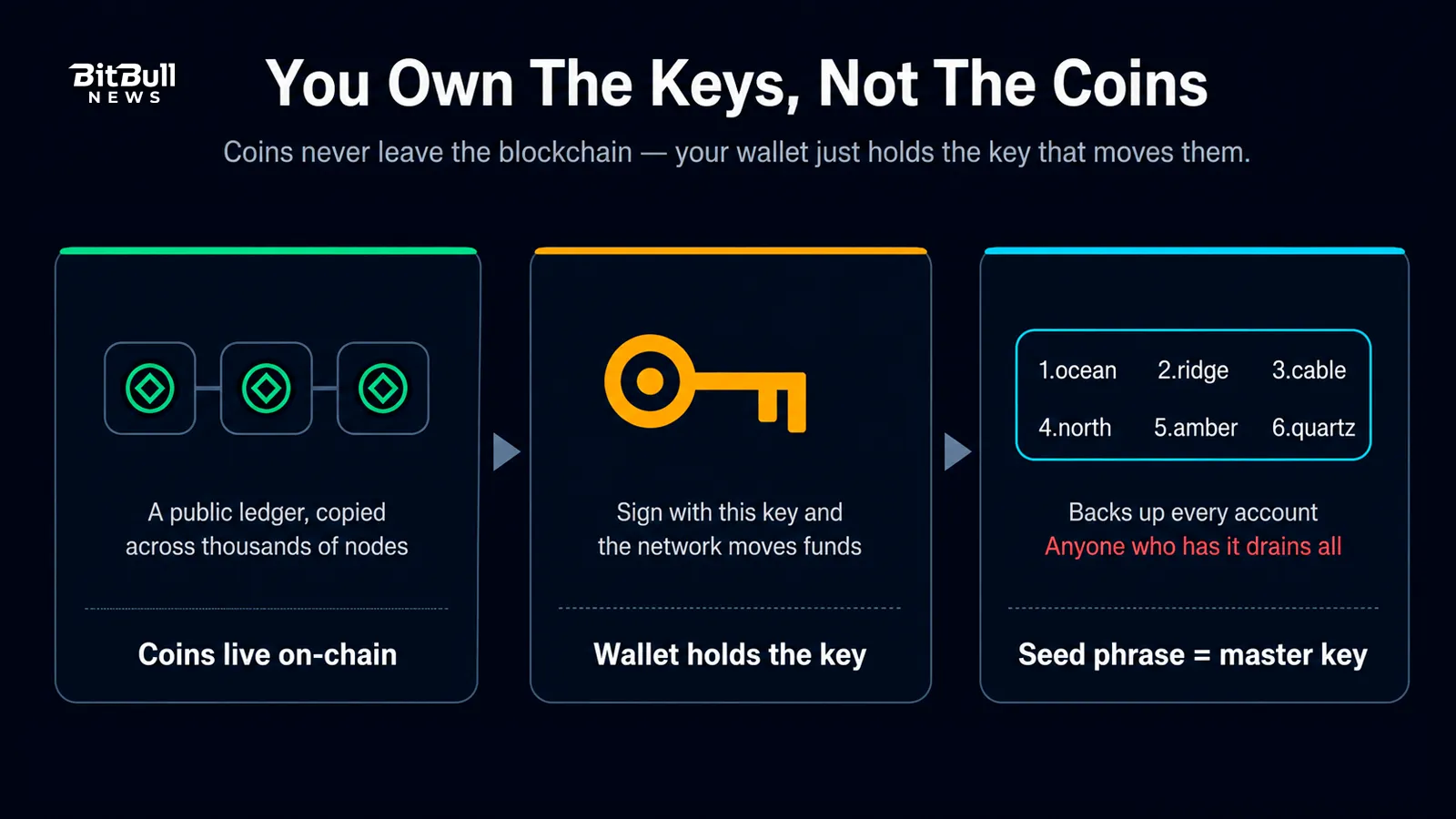
The Ethereum Foundation puts it plainly: your recovery phrase is the master key to everything, and anyone who gets it can drain every asset you hold. So wallet security really comes down to two jobs:
- Keep the seed phrase secret and backed up. Nobody sees it, and you never lose it.
- Control what you sign. Every approval and transfer does exactly what you think it does.
Everything below serves one of those two goals.
Pick The Right Wallet For The Job
There’s no single “most secure” wallet. There’s the right wallet for the amount and the task.
Hot Wallets
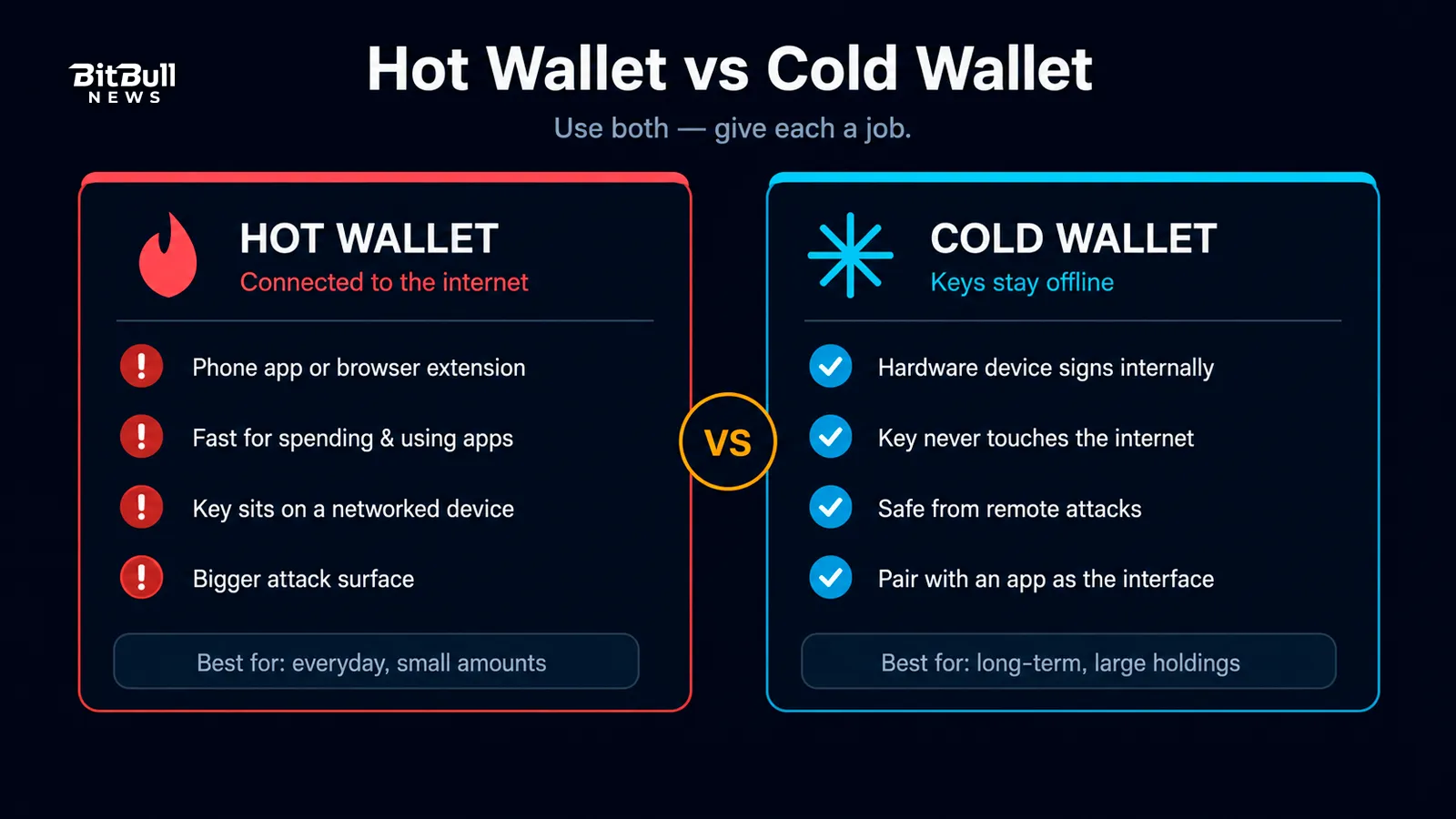
A hot wallet stays connected to the internet, usually as a phone app or browser extension. It’s fast and convenient for spending, trading, and interacting with apps. But its online connection is also its weakness, because malware or a malicious website can reach a key that lives on a networked device.
Cold Wallets
A cold wallet keeps your keys offline. The common form is a hardware wallet, a small device that signs transactions internally and never exposes the key to your computer. A remote attacker can’t steal a key that never touches the internet, which is why cold storage is the standard for serious holdings.
Match The Wallet To The Amount
Use both, and give each a job:
- Small, everyday amounts live in a hot wallet you’re comfortable losing.
- Long-term or large holdings live on a hardware wallet.
You can pair them. A hardware wallet holds the keys while a familiar app acts as the interface, so you get the convenience of software with hardware-level protection. Bitcoin.org’s own guidance says the same thing in fewer words: move most of your funds to cold storage and keep only pocket money hot.
Protect Your Seed Phrase Like It Is The Money
Your seed phrase is the money. Treat it that way.
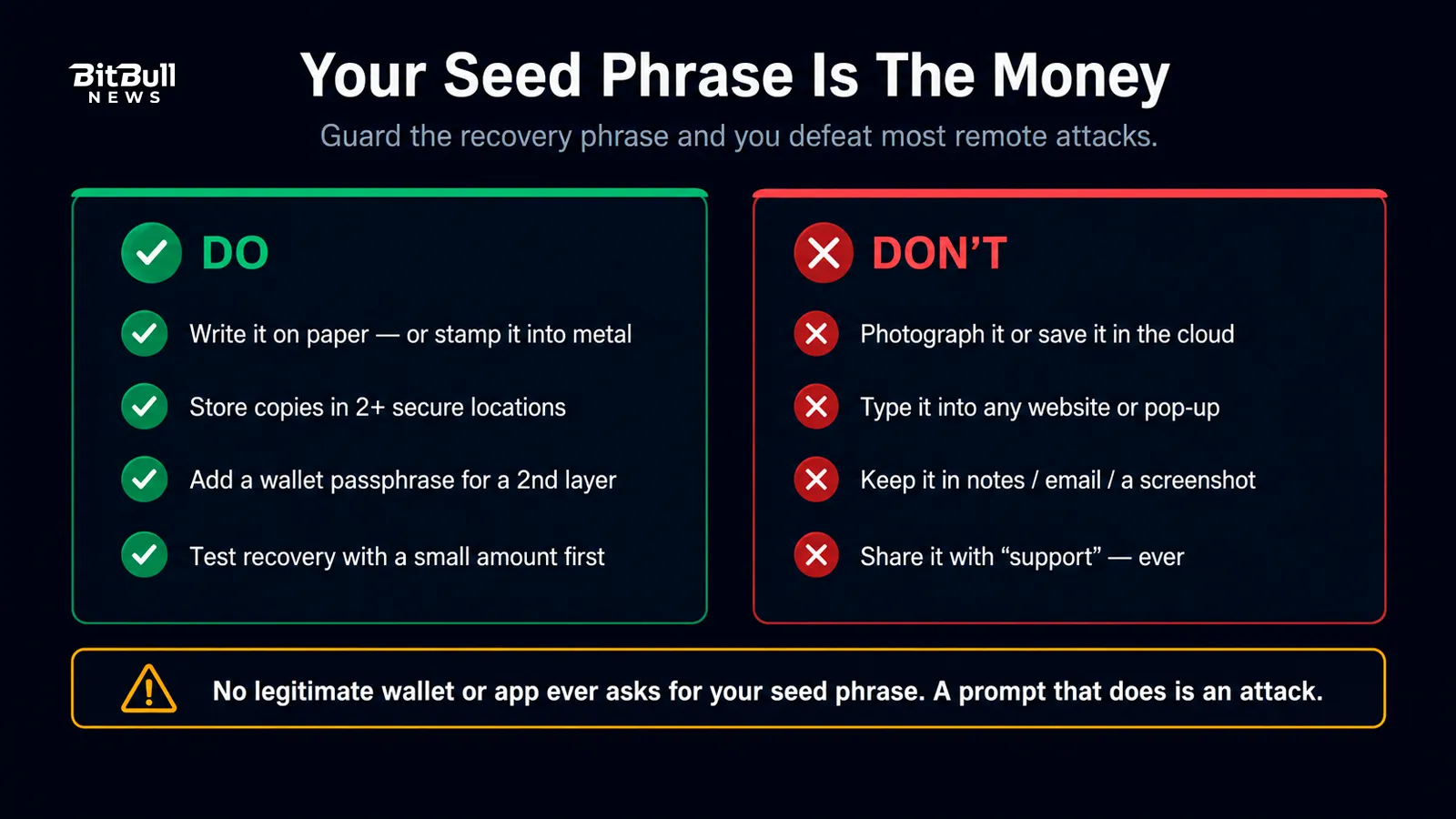
When you set up a wallet, write the words down by hand and store them offline. That single habit defeats most remote attacks, because a phrase that never exists as a file can’t be stolen by malware or leaked in a breach.
Do this:
- Write the phrase on paper (or stamp it into metal for fire and water resistance).
- Store copies in more than one secure physical location, so a single fire, flood, or theft can’t wipe you out.
- Consider a wallet passphrase — an extra word only you know — for a second layer on top of the seed.
Never do this:
- Never photograph your seed phrase or type it into a phone note, password manager, email, or cloud drive.
- Never enter it on any website. Legitimate wallets and apps never ask for your seed phrase, so a prompt asking for it is always an attack.
- Never share it with “support,” a “wallet validator,” or anyone else. There are no exceptions.
Warning: The only time you type your seed phrase is when you’re restoring a wallet inside the official wallet app itself — never into a web page, a pop-up, or a form, no matter how real it looks.
Harden The Device And Accounts Around It
A hardware wallet protects the key, but the device you connect it to still matters. Attackers often skip the wallet entirely and go after the environment around it.
- Download only from official sources. Get wallet software from the project’s real website, then follow its link to the app store. Fake wallet apps and browser extensions are a common theft method, and search ads are a favorite trap.
- Keep everything updated. Wallet software, your browser, and your operating system all ship security fixes. Running old versions leaves known holes open.
- Use strong two-factor authentication on exchange and email accounts. Prefer an authenticator app over SMS, because phone numbers can be hijacked through SIM swaps.
- Lock down your email. Your inbox is the reset key to most of your other accounts, so give it a unique password and its own strong 2FA.
- Use unique passwords with a password manager. Reused passwords turn one leak into many.
For meaningful sums, a dedicated device used only for crypto — one that avoids random downloads, email links, and sketchy sites — sharply cuts your exposure.
Verify Every Transaction Before You Sign
Most modern thefts don’t crack cryptography. They trick you into signing something.
Check the full receiving address, not just the ends. A trick called address poisoning drops a tiny transaction into your history from an address that mirrors the first and last characters of one you’ve used, hoping you copy the wrong one later. Malware can also swap an address on your clipboard the moment you paste. Confirm the entire string, and send a tiny test amount first when moving large sums to a new address.
Confirm the amount, the token, and the network before you approve. A transaction sent on the wrong network can be lost.
Favor wallets that show you what you’re signing. The industry is moving toward human-readable, “clear signing” transaction prompts that spell out what assets move and what permissions you grant, instead of the wall of code behind so-called blind signing. When your wallet can explain a transaction in plain language, use that. When it can’t, slow down.
Control Token Approvals On Smart-Contract Chains
If you use apps on Ethereum or similar networks, you’ll grant token approvals — permissions that let a smart contract spend a specific token from your wallet. This is normal and necessary. The danger is that many approvals default to unlimited, meaning the contract can pull that token at any time in the future, not just for the transaction in front of you.
A malicious or compromised contract can use a lingering unlimited approval to drain that token long after you first interacted with it. Protect yourself:
- Approve only what you need. When a wallet lets you set a spending limit instead of “unlimited,” set one.
- Revoke approvals you no longer use. Block explorers offer token-approval tools, and dedicated revoke tools show your active allowances across contracts so you can cancel them.
- Review your approvals periodically, especially after using a new or unfamiliar app. Ethereum’s own scam guidance lists revoking approvals as a first step whenever a wallet may be exposed.
Know The Scams Before They Reach You
Attackers reuse a short list of tricks. Recognize the pattern and the specific wording stops mattering.
- Phishing sites. Near-perfect clones of real wallets and exchanges, sitting on a lookalike URL, exist to capture your seed phrase or bait a malicious signature. Bookmark the real sites and reach them through your bookmarks, not search results or links.
- Fake support and impersonation. There is no official “Ethereum support” or “wallet support” that DMs you. Anyone offering to fix your wallet in exchange for your recovery phrase or a signature is stealing from you.
- Giveaway and doubling scams. “Send 1 ETH, get 2 back” is theft, every time, even when the post impersonates a famous name.
- Recovery scams. After a loss, fake “fund recovery” services demand an upfront fee and then vanish. No one can reverse a confirmed blockchain transaction.
- Malicious airdrops and dust. Unexpected tokens can lead to phishing sites when you try to sell or claim them. Ignore tokens you didn’t expect, and never connect your wallet to “claim” a surprise.
The through-line: no legitimate party ever needs your seed phrase, and no one can undo a transaction. Any message built on either false premise is a scam.
Layer On Advanced Protection For Larger Holdings
Once the balance is worth serious effort to defend, add structural protection instead of relying on one key.
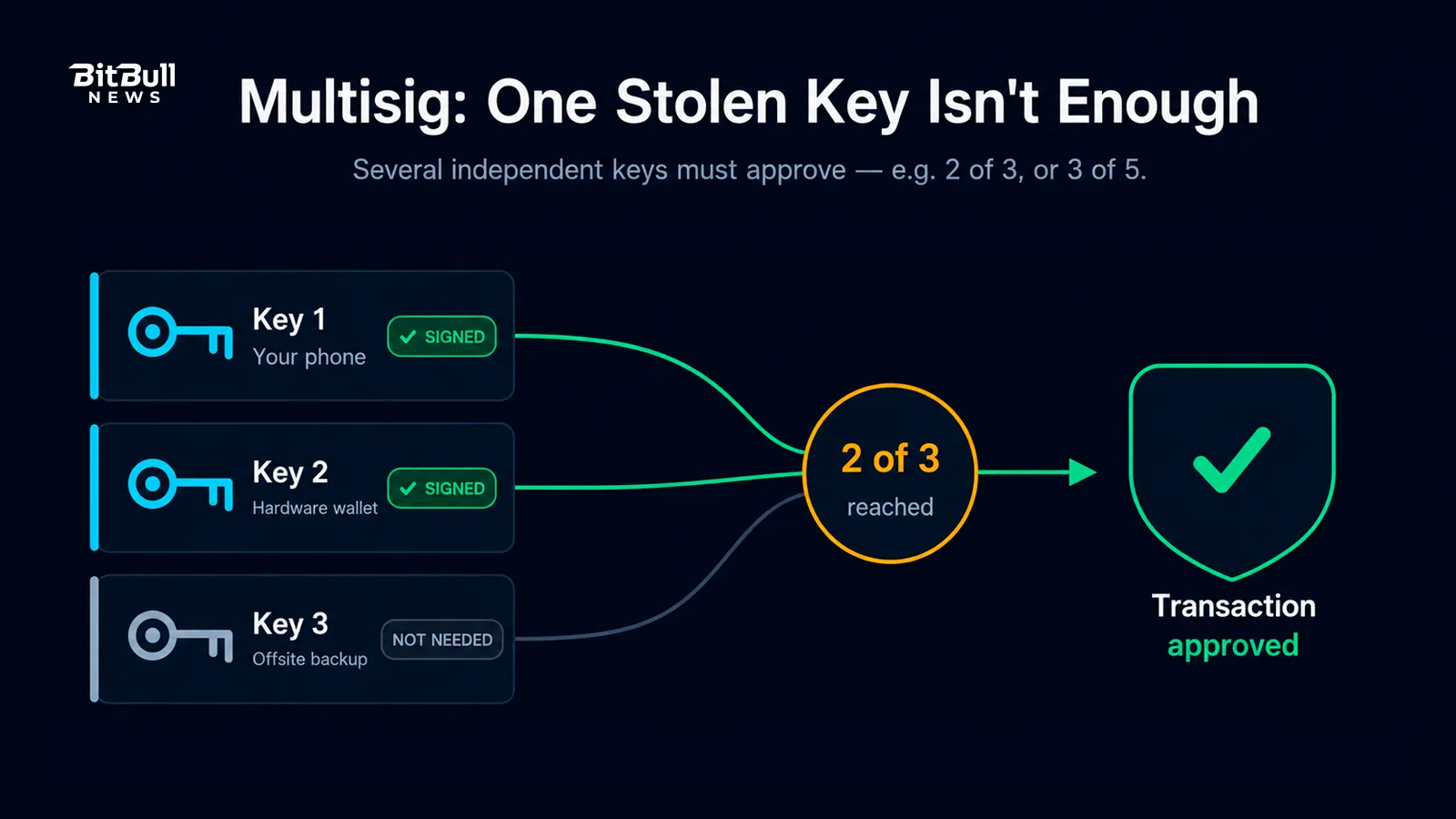
- Multisignature (multisig). A multisig wallet needs several independent keys to approve a transaction — for example, three of five. One stolen or lost key no longer drains the funds, which is why organizations use it for treasuries and why individuals use it to spread keys across devices and locations.
- Hidden wallet passphrase. Adding a passphrase on top of your seed creates a separate hidden wallet. Even someone who finds your seed words can’t reach those funds without the extra secret.
- Air-gapped signing. Some hardware wallets sign transactions entirely offline through QR codes or an SD card, so the signing device never connects to a networked machine at all.
Match the effort to the stakes. A few hundred dollars doesn’t need multisig; a life-changing sum probably does.
Back Up And Plan For Recovery
Security isn’t only about keeping attackers out. It’s also about not locking yourself out.
- Build redundancy. More than one backup, stored in more than one place, on durable media. A single point of failure is a single point of loss.
- Separate your copies geographically. One fire or flood shouldn’t reach every backup.
- Test your recovery with a small amount before you trust it with everything, so you know your backup actually works.
- Plan for inheritance. Funds with no recovery plan are lost when you are. Decide, carefully and securely, how a trusted person could recover them if something happens to you.
The Wallet Security Checklist
Run through this whenever you set up a new wallet or audit an old one.
- Long-term funds sit on a hardware (cold) wallet; only spending money stays hot.
- Seed phrase is written offline, never digital, never photographed, never in the cloud.
- Backups are redundant and stored in separate secure locations.
- Wallet software came from the official site, and everything is up to date.
- Email and exchange accounts have unique passwords and app-based 2FA.
- You verify the full address and read every transaction before signing.
- Token approvals are limited where possible and revoked when unused.
- You’ve tested recovery and have a plan for the funds if you’re not around.
Do the boring parts well and you remove the openings attackers rely on. The tools will keep improving, but the fundamentals here — protect the seed, control what you sign — have held since the first wallet and will hold for the next decade.
FAQ
- What’s The Safest Type Of Crypto Wallet?
For meaningful holdings, a hardware (cold) wallet is the standard, because it keeps your private key offline and out of reach of malware. A hot wallet is fine for small, everyday amounts you’re comfortable risking. - What Happens If I Lose My Hardware Wallet?
You don’t lose your funds, as long as you still have your recovery phrase. Buy a new device, restore from the phrase, and your accounts come back. That’s exactly why the recovery phrase matters more than the device itself. - Should I Keep My Crypto On An Exchange?
An exchange is convenient for trading, but it holds your keys, so a hack, freeze, or failure can cost you. For anything you’re not actively trading, move it to a wallet you control. - Is A Free Software Wallet Safe Enough?
A reputable software wallet is fine for small amounts and daily use. But its online connection makes it a bigger target, so keep larger, long-term holdings on hardware. - What Should I Do If A Site Asks For My Seed Phrase?
Close it. No legitimate wallet, exchange, or support team ever needs your recovery phrase. A prompt that asks for it is a scam, every time. - How Often Should I Review My Wallet Security?
Check in whenever you set up a new wallet, connect to a new app, or notice anything unusual. A periodic review of your backups, token approvals, and 2FA settings catches problems before they cost you.